
IRS Notices
IRS CP21C Notice: We Changed Your Return, No Balance Due (2026)
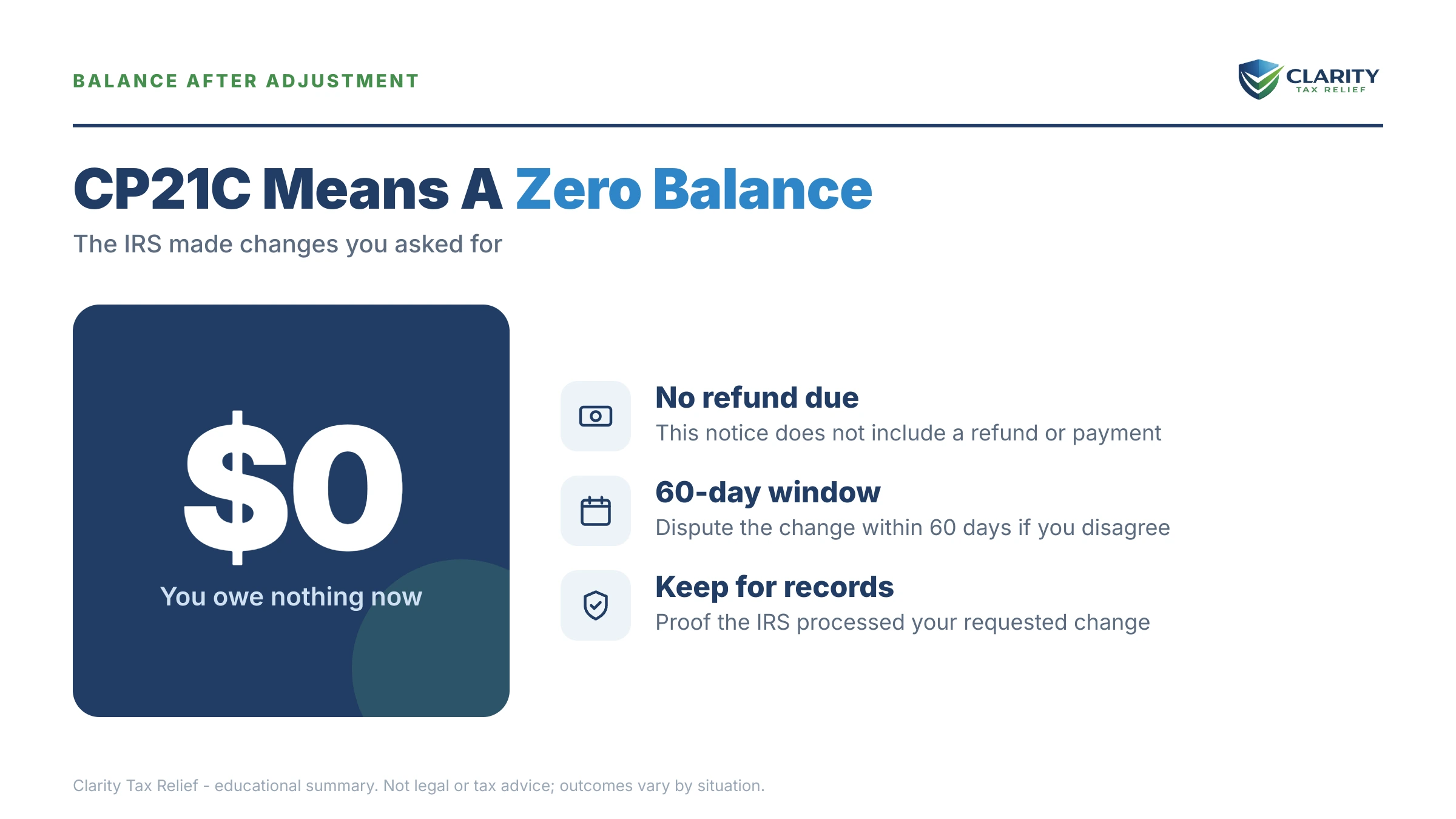
The short answer: a CP21C notice means the IRS made changes to your tax return — usually changes you requested, like an amended return — and the result is a zero balance: you owe nothing, and no refund is due. No payment or response is required, but verify the numbers before filing it away.
You asked the IRS to fix something months ago — or maybe you didn't ask for anything at all — and now a letter says the changes are done and your balance is zero. If you were expecting money back, "zero" reads less like good news and more like a question mark, especially when every dollar of a Social Security check is already spoken for.
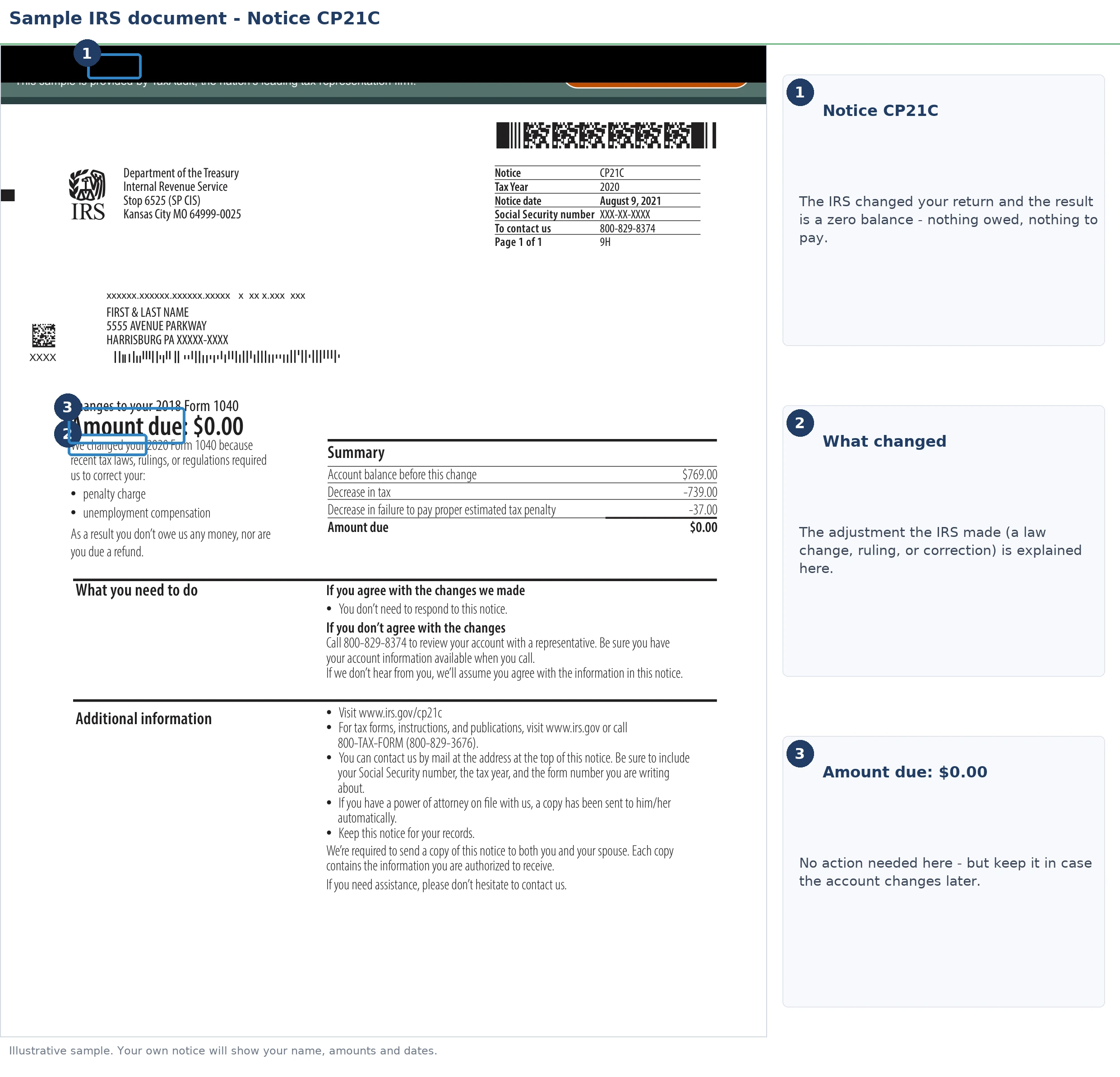
Here's the map: a CP21C is the mildest letter in the IRS adjustment series, and for most people it means the matter is genuinely closed. Your only job is a short verification — confirming the IRS's zero matches your zero. The image below shows exactly what a CP21C looks like and where the tax year and adjustment summary sit, so you can match each line against your own paperwork.
⏱ The clock on a CP21C runs in reverse: there's no payment deadline, because your balance is zero. But if the zero is wrong and you're actually owed money, a refund claim is generally limited to 3 years from when you filed the return or 2 years from when you paid the tax — whichever is later. If your notice prints a contact-by date, that date controls; use it.
Why you got a CP21C notice
A CP21C notice is issued when an IRS change to your return produces neither a bill nor a refund — the account nets to exactly zero. Of all the letters the IRS mails (the general decoder is in why did I get a letter from the IRS), this is one of the few that closes a loop instead of opening one.
The most common triggers, in rough order of frequency:
- You filed Form 1040-X and the IRS accepted your change — but the tax it removed had never been paid, so there's nothing to send back.
- A penalty or the entire assessed balance was abated — for example, a duplicate income assessment reversed or penalty relief granted — wiping the account to zero.
- The IRS made its own correction that changed figures on the return without changing the bottom line.
- Your requested reduction was absorbed by interest, penalties, or another amount already on the account, landing the net at exactly $0.
What a CP21C is not: an audit, a bill, or a collection notice. It also isn't a refund letter — that's its sibling. The letter code at the top-right corner tells you which outcome you got:
| Notice | What it means | Your move |
|---|---|---|
| CP21A notice | IRS made the changes — you now owe a balance | Verify, then pay or set up a plan before it escalates |
| CP21B notice | IRS made the changes — a refund is coming | Verify the amount; watch for the check or deposit |
| CP21C (this page) | IRS made the changes — net result is exactly $0 | Verify zero is right, then keep it with your records |
| CP21E notice | Changes came from an audit — balance due | Review the exam report; you have dispute rights |
One boundary worth knowing: the CP21 series reports changes you requested or an exam produced. If the IRS corrected a math or processing error on its own during original filing, you'd get a CP11 notice (balance due) or CP12 notice (refund changed) instead — those carry their own dispute window and work differently.
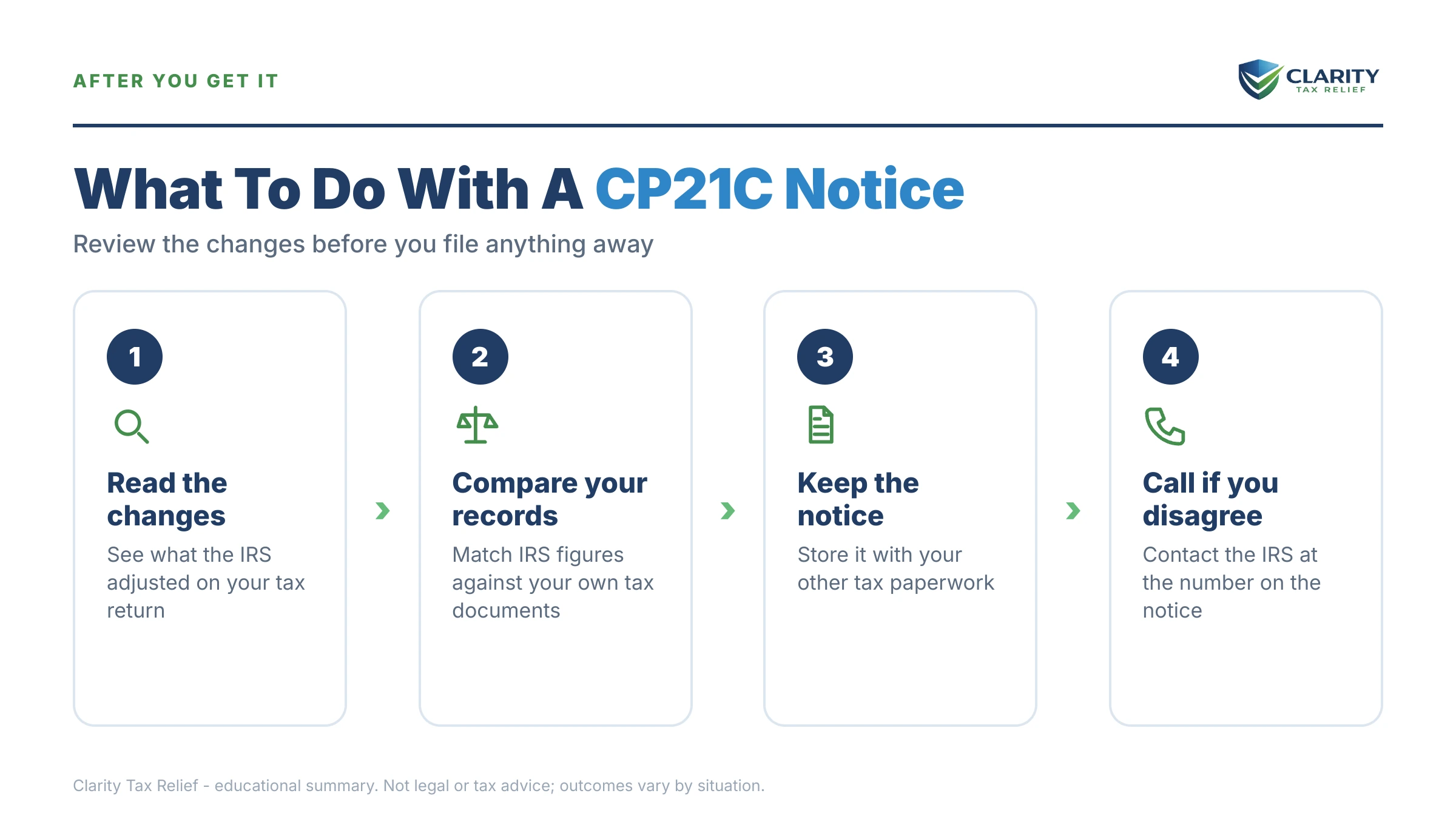
Expected a refund but got a CP21C instead?
A CP21C where you expected a refund almost always means the IRS's math netted your change against something else on the account. This is the single most common CP21C complaint, and it has three usual explanations: the reduction was eaten by penalties and interest already assessed, the IRS allowed only part of your amended claim, or a payment you made was never credited to that year.
The fastest way to see which one happened is your account transcript, where the adjustment posts as code 290 (tax assessed) or code 291 (tax reduced), and an amended return shows as codes 976/977. Compare the code 291 amount against the reduction you claimed on your 1040-X — if the IRS allowed less than you asked for, the transcript is where that shows up first, often before any letter explains it.
A worked example: the $23,800 duplicate 1099-R
Say you're retired, living on Social Security and a small pension, and your plan administrator issued a corrected 1099-R that got processed alongside the original — double-counting the distribution. The IRS assessed $23,800 in additional tax. You filed Form 1040-X removing the duplicate income and paid nothing while it was pending. (This is a hypothetical, but the pattern is common.)
Here's the math when the IRS agrees with you:
- Tax removed: $23,800 — posts to your transcript as code 291.
- Failure-to-pay penalty removed: about $714 — the 0.5%-per-month penalty for the six months the balance sat on the account ($23,800 × 0.5% × 6). Penalties fall away with the tax they were charged on.
- Interest removed: whatever accrued on the $23,800, for the same reason.
- You paid: $0 — so there's nothing to refund.
Net result: exactly zero. The letter that arrives is a CP21C, and it's the correct one.
Now run the counterfactual, because it's your red-flag test: if you'd sent even one $500 good-faith payment while the amendment was pending, the correct notice would be a CP21B with roughly $500 coming back. If you paid anything toward a balance that was fully removed and still got a CP21C, the zero is probably wrong — trace the payment before you let it go.
What happens if you ignore a CP21C
A CP21C triggers no collection action — the balance it reports is zero, so there is nothing to levy, lien, or garnish. The risk of ignoring one isn't enforcement. It's that a hidden error goes unchecked, and the stages play out quietly:
- Stage 1 — you file it away unread. If the notice matches reality, nothing ever happens. For most recipients, this is the whole story.
- Stage 2 — a mismatch sits undetected. A payment credited to the wrong year, a partial adjustment you didn't notice, or a change you never requested stays buried in the account.
- Stage 3 — the account flips. If the IRS later reverses or modifies the adjustment and a balance posts, the standard bill sequence begins: CP14 notice, then reminders, then intent-to-levy notices — each with more enforcement power than the last. The first you'd hear of it is a bill for a year you thought was closed.
- Stage 4 — the refund window closes. If the true outcome should have been money back to you, the claim is generally capped at 3 years from filing or 2 years from payment. Miss it and the money is gone permanently — the same wall covered in the 3-year refund deadline.
One 2026 reality makes stage 2 more likely than it used to be: with the IRS workforce cut roughly 27% in 2025, adjustment errors take longer to surface and phone verification takes longer to get. The five-minute self-check below is worth doing precisely because nobody at the IRS is double-checking for you.
Does your CP21C not match your records?
If you paid money the notice ignores, expected a refund that became "zero," or never requested any change at all — send us a photo of the notice. An experienced tax professional will pull your account, trace the adjustment, and tell you exactly where the mismatch is. Free and confidential.
Your options after a CP21C: verify, keep, or contest
Every CP21C leads to one of three outcomes — you confirm it and keep it, you contest it, or you escalate a deeper problem — and a five-line check tells you which. Work through this table against the notice image above and your own paperwork:
| What to confirm | Where to look | What it should show |
|---|---|---|
| The tax year matches | Top of the notice vs. your 1040-X or return copy | The same year you amended or expected changed |
| The adjustment posted | IRS account transcript | Code 290 or 291 in the amount you expected |
| Your amendment was fully processed | Transcript codes 976/977; Where's My Amended Return tool | "Adjusted" or "completed" status for that year |
| Every payment was credited | IRS online account payment history vs. bank records | Each payment you made, applied to the right year |
| The balance is actually zero | IRS online account balance for that year | $0.00 — matching the notice |
Then take the path that fits:
- Everything matches → keep it. File the CP21C with that year's return for at least three years. It's your proof the adjustment happened if the account ever gets questioned later.
- You expected a refund → compare the 291 amount. If the IRS allowed less than your 1040-X claimed, you can contest the shortfall in writing to the address on the notice, with the documents supporting your original claim. Mind the refund statute above.
- A payment is missing → send proof. A canceled check image, bank statement line, or IRS payment confirmation is usually enough to get a misapplied payment moved — and a misapplied payment on a zeroed year means a refund, not a shrug.
- You amended multiple years → expect multiple letters. Each tax year generates its own notice. A CP21C for 2023 says nothing about your 2022 amendment — verify each year separately, because one year can net to zero while another nets to a refund or a bill.
- You never requested a change → check for identity activity. An unrequested amendment on your account is worth a look in your online account; if you find filings you don't recognize, Form 14039 (Identity Theft Affidavit) is the tool, plus a call to the number on the notice.
- The change traces to an audit you dispute → different track. Exam-driven changes run through appeal and reconsideration procedures, not a phone correction — that's the territory of the CP21E notice.
- Your amendment is still pending for another year → be patient strategically. Amended returns routinely take months; see where's my amended return before assuming something's lost.
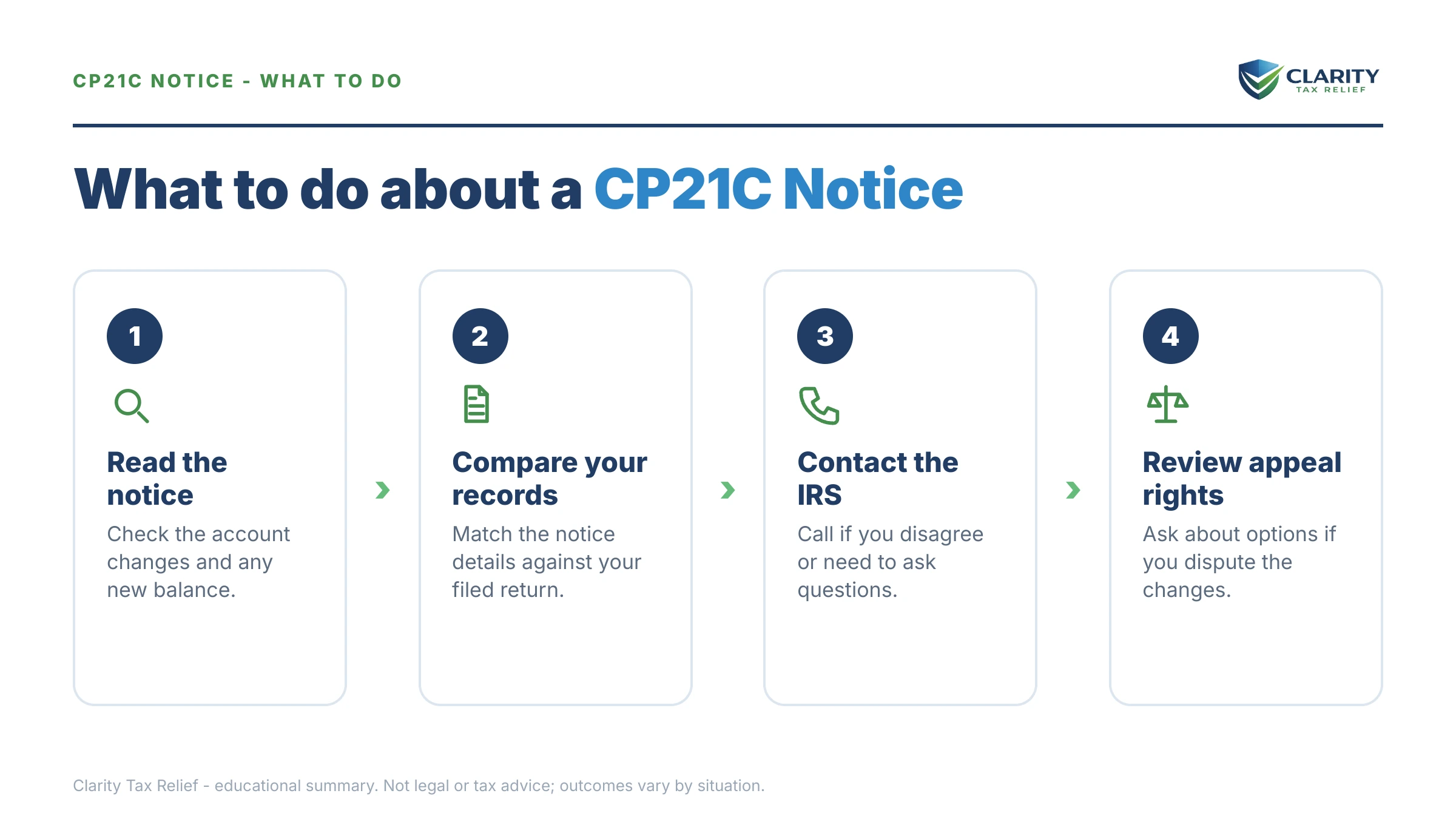
How to respond to a CP21C notice, step by step
- Match the tax year — confirm the year printed on the CP21C is the year you amended or expected the IRS to change.
- Pull your account transcript — look for code 290 or 291 posting the adjustment, plus codes 971 and 977 if you filed Form 1040-X.
- Verify your payments — compare the payment history in your IRS online account against your bank records for that tax year.
- Keep it or contest it — if everything matches, file the notice with that year's return; if not, call the number on the notice or respond in writing with proof.
- Recheck the balance later — log back into your IRS online account after a few weeks to confirm the account still shows zero.
When you can handle a CP21C yourself
A CP21C is one of the rare IRS letters most people can fully handle alone. If the tax year matches, the transcript shows the adjustment you expected, and you made no payments toward the removed balance, you need nothing more than a folder to put it in — no professional, no phone call, no fee to anyone.
Experienced help changes the outcome in a narrower set of situations:
- Real money is buried in the zero — you made payments the notice ignores, or your amended claim was silently reduced, and the refund statute is running while you wait on hold.
- Multiple years are tangled — amendments, payments, and balances across several years, where fixing one year in the wrong order shifts money to the wrong place.
- The change traces to an exam or a dispute — appeal rights and reconsideration procedures have their own deadlines and formats.
- Other years still carry balances — a zeroed year doesn't protect you from collection on the years that aren't. If you're retired and juggling IRS debt on fixed income, the playbook in retired and owe back taxes covers what the IRS can and can't reach.
Terms on your CP21C, decoded
- Adjustment — any change the IRS posts to a tax year's account; on your transcript it appears as code 290 (tax added) or 291 (tax reduced).
- Abatement — the removal of tax, penalty, or interest already assessed; a full abatement with nothing paid is the classic route to a CP21C.
- Account transcript — the IRS's line-by-line ledger for one tax year, free in your online account, and the fastest way to verify what a notice claims.
- Form 1040-X — the amended individual return; filing one is the most common reason a CP21 series notice exists at all.
- Refund Statute Expiration Date (RSED) — the last day you can legally claim money back for a year, generally 3 years from filing or 2 years from payment, whichever is later.
- "Account balance: zero" — the IRS's statement that assessments and credits for that year are exactly equal; it's a snapshot, not a promise the year can never change.
If you want to see the IRS's own description, read Understanding your CP21C notice, verify your balance through your IRS online account, and if a verified error isn't getting fixed through normal channels, the Taxpayer Advocate Service exists for exactly that.
CP21C notice FAQs
Is a CP21C notice good news or bad news?
Usually it's neutral-to-good news: the IRS accepted a change to your return and the result is a zero balance — you owe nothing and no refund is coming. It becomes bad news only if it's wrong, such as when payments you made weren't credited or you were genuinely owed money. That's why a five-minute check of your IRS online account is worth doing before you file the notice away.
Why did I get a CP21C when I expected a refund?
Because the IRS's math on the adjustment netted to exactly zero — often the reduction you requested was absorbed by penalties, interest, or another balance on the account, or the IRS allowed only part of your change. Pull your account transcript and compare the adjustment amount against what you claimed on Form 1040-X. If the numbers don't match, you can contest the adjustment; refund claims are generally limited to 3 years from filing or 2 years from payment.
Do I have to respond to a CP21C notice?
No — if the notice matches your records, no response or payment is required. Keep it with that year's tax return for at least three years, since it documents the adjustment. Respond only if something is wrong: the tax year doesn't match, a payment is missing, or the change isn't the one you requested. In that case, call the number printed on the notice or reply in writing with proof.
What if I never asked the IRS to change my return?
Treat that as a flag worth checking, not a crisis. The IRS sometimes initiates corrections on its own, but a change you never requested can also mean someone filed an amended return in your name. Log into your IRS online account, check for amendment activity you don't recognize, and if you suspect identity theft, file Form 14039 and call the number on the notice.
Can a CP21C notice be wrong?
Yes. The most common errors are payments credited to the wrong tax year, an adjustment applied to the wrong year entirely, and partial adjustments where the IRS allowed less than you claimed. Compare the notice against your account transcript and your own payment records. If you paid anything toward the balance that was later removed, zero is probably the wrong answer — you may be due that money back.
How long do I have to dispute a CP21C?
There's no payment deadline on a CP21C, but the refund statute runs against you: a claim for money back is generally limited to 3 years from when you filed the return or 2 years from when you paid the tax, whichever is later. Some notices also print a contact-by date — use the one on yours. The practical rule: dispute in writing as soon as you spot a mismatch, while records are easy to gather.
Will a CP21C affect my Social Security or next year's refund?
No. A zero balance means there's nothing for the IRS to offset, so your Social Security benefits and future refunds are untouched by this notice. Offsets and the 15% Federal Payment Levy Program apply only when you owe. If a balance posts later — because the adjustment is reversed or another year is unpaid — that changes, so keep an eye on your IRS online account.
What's the difference between CP21A, CP21B, and CP21C?
All three report changes to your return; the letter tells you the money result. CP21A means the change created a balance you owe. CP21B means the change produced a refund. CP21C means the change nets to exactly zero — no bill, no refund. A fourth version, CP21E, reports changes from an audit that leave a balance due, which carries different response rights.
Your next 24 hours
- Find two things on the notice: the tax year at the top and the adjustment summary showing how the IRS got to zero. Circle both.
- Gather three things: your copy of the return (and 1040-X, if you amended), any payment confirmations or bank records for that year, and the notice itself.
- If anything doesn't reconcile — a payment the notice ignores, a refund that became zero, a change you never requested — get a free case review at the 2-minute form or call (888) 825-7779. Mismatches on a "closed" year are easiest to fix while the paper trail is fresh.
This guide is general information, not tax or legal advice for your specific situation. Eligibility for IRS programs depends on individual facts and circumstances; no outcome is guaranteed.