
IRS Notices
IRS CP60 Notice: Why the IRS Removed a Payment From Your Account (2026)
The short answer: a CP60 notice means the IRS removed a payment that was misapplied to your account — it posted to the wrong year, the wrong Social Security number, or belonged to another taxpayer. Removing it created the balance due on the notice. Trace the payment before you pay anything; respond by the printed pay-by date.
You paid this bill — or you thought you did — and moved on with your life. Now a CP60 says the IRS reached back into your account, took a payment off it, and wants the money again, with interest counted from a due date that may be months in the past. That backwards feeling is exactly what a CP60 does, and it's fixable — but only if you figure out whose payment it was before you write another check.
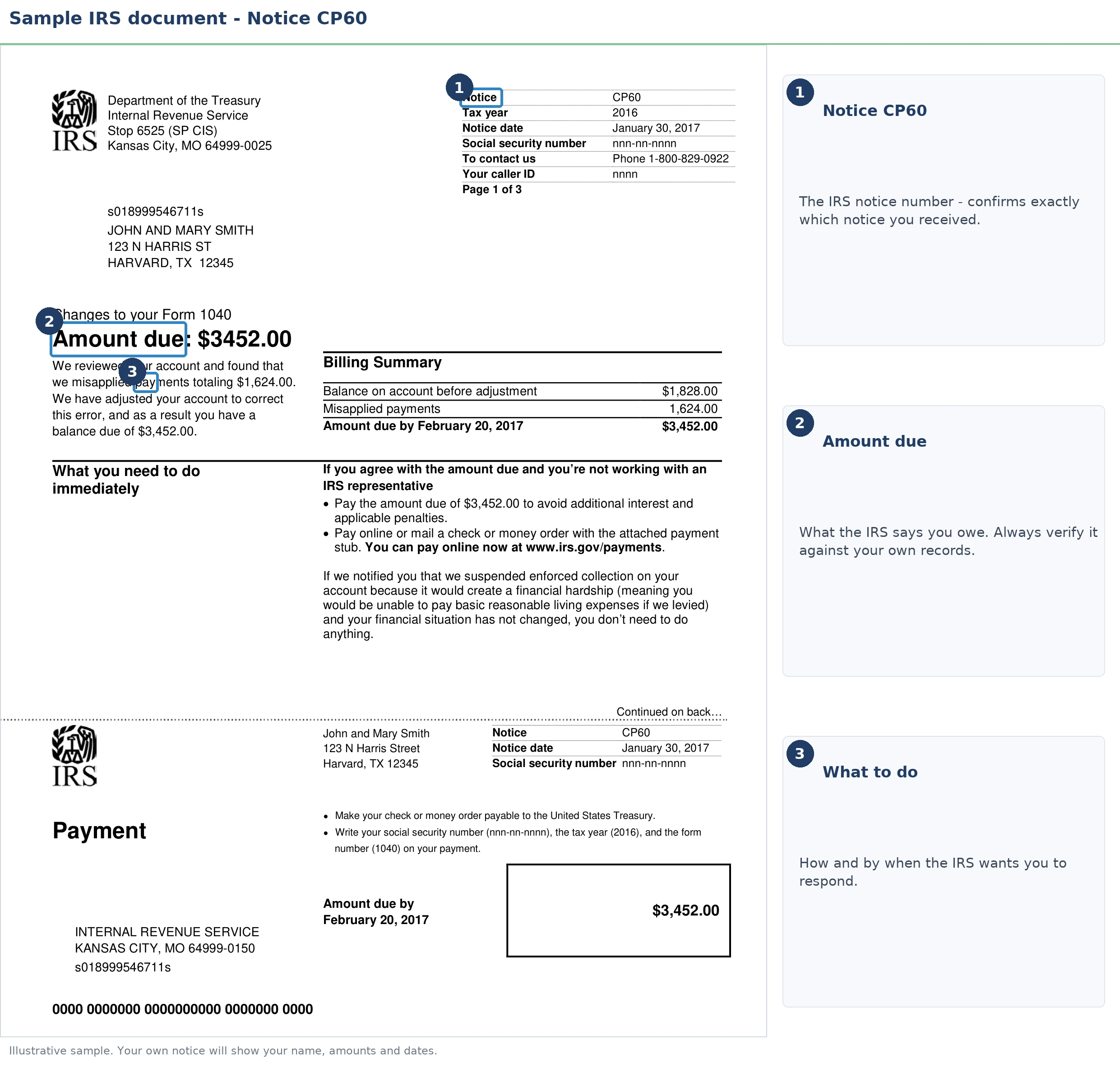
Your CP60 lists the exact date and dollar amount of the payment the IRS removed. The image below shows you exactly what the notice looks like and where those two figures sit — they are the starting point for everything that follows.
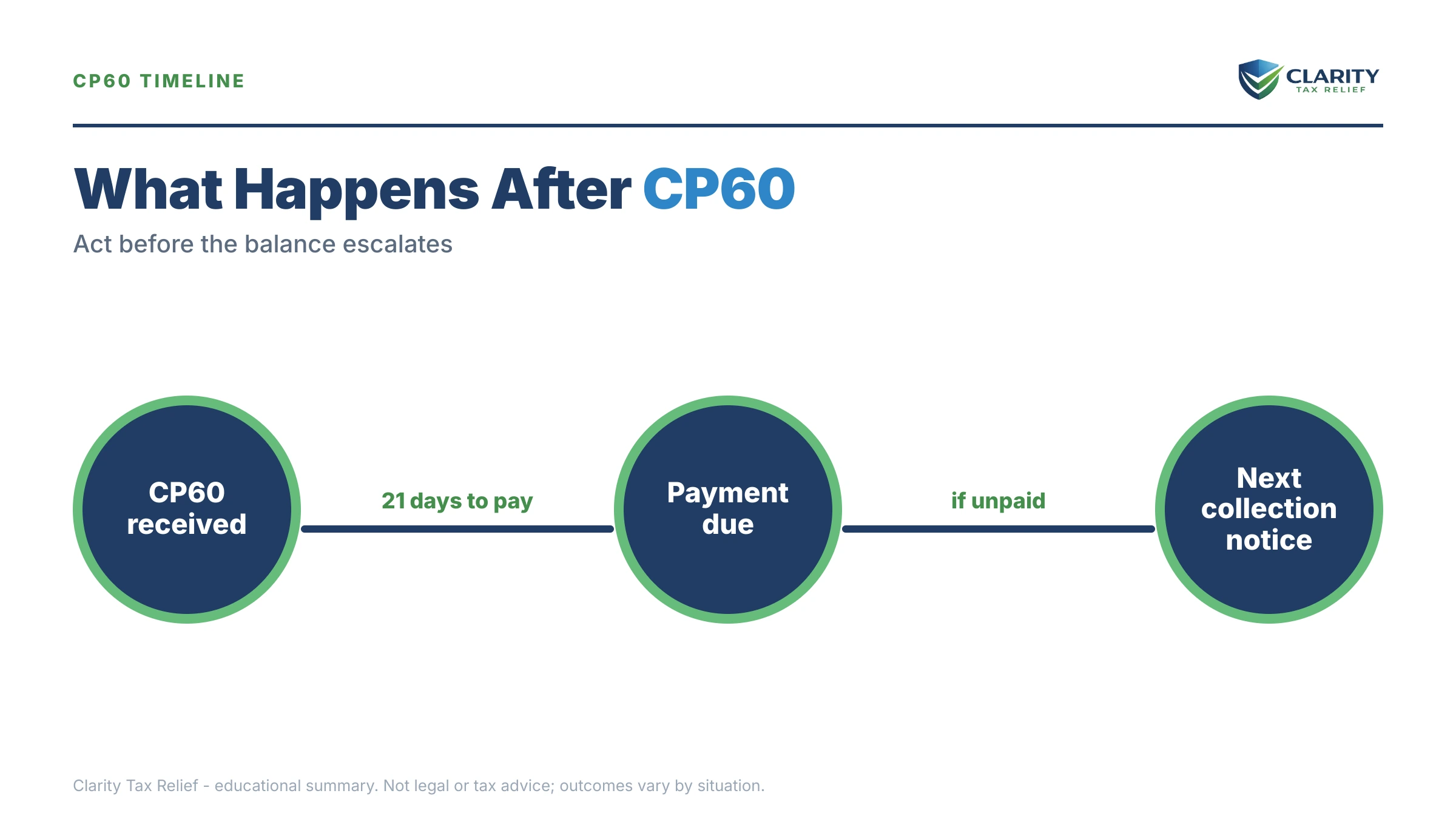
⏱ Your deadline: the pay-by date printed on your CP60 controls — typically 21 days from the notice date for a balance-due notice. After that date, interest and the 0.5%-per-month failure-to-pay penalty keep accruing, and the unpaid balance feeds into the same automated reminder sequence as any other IRS bill.
Why you got a CP60 notice
A CP60 notice is the IRS telling you it removed a payment from your account because that payment was applied there by mistake. At some point, a payment was credited to your tax year that — in the IRS's current view — should never have been. The system reversed it, and the reversal left a hole: the balance due printed on the notice, plus interest computed as if the payment had never existed.
The misapplication usually traces to one of five causes:
- Wrong tax year. You (or your preparer) designated a payment for 2024 that should have gone to 2023, or an estimated payment landed on the wrong year. The IRS moved it — and your CP60 is the "removed" half of the move.
- Wrong Social Security number. The most common married-filing-jointly trap: joint-account payments post under the primary taxpayer's SSN. When the second-listed spouse pays through their own IRS account or under their own SSN, the payment can post to the wrong account and later get pulled back off.
- Transposed digits. A check or voucher with one wrong digit in the SSN or EIN lands on a stranger's account — sometimes yours.
- IRS keying error. A processing employee or scanner applied someone else's remittance to your account, and a later reconciliation caught it.
- A payment that was never yours. The reverse of the above: you briefly held someone else's credit, and the CP60 takes it back.
Note what a CP60 is not. It is not an audit, and it is not a recalculation of your return — if the IRS changed your tax figures, you'd have a CP11 notice (changes made, balance due) or a CP12 notice (changes made, refund) instead. A CP60 leaves your tax exactly as filed; only the payments side of the ledger moved. For the broader map of why IRS letters arrive at all, see why did I get a letter from the IRS.
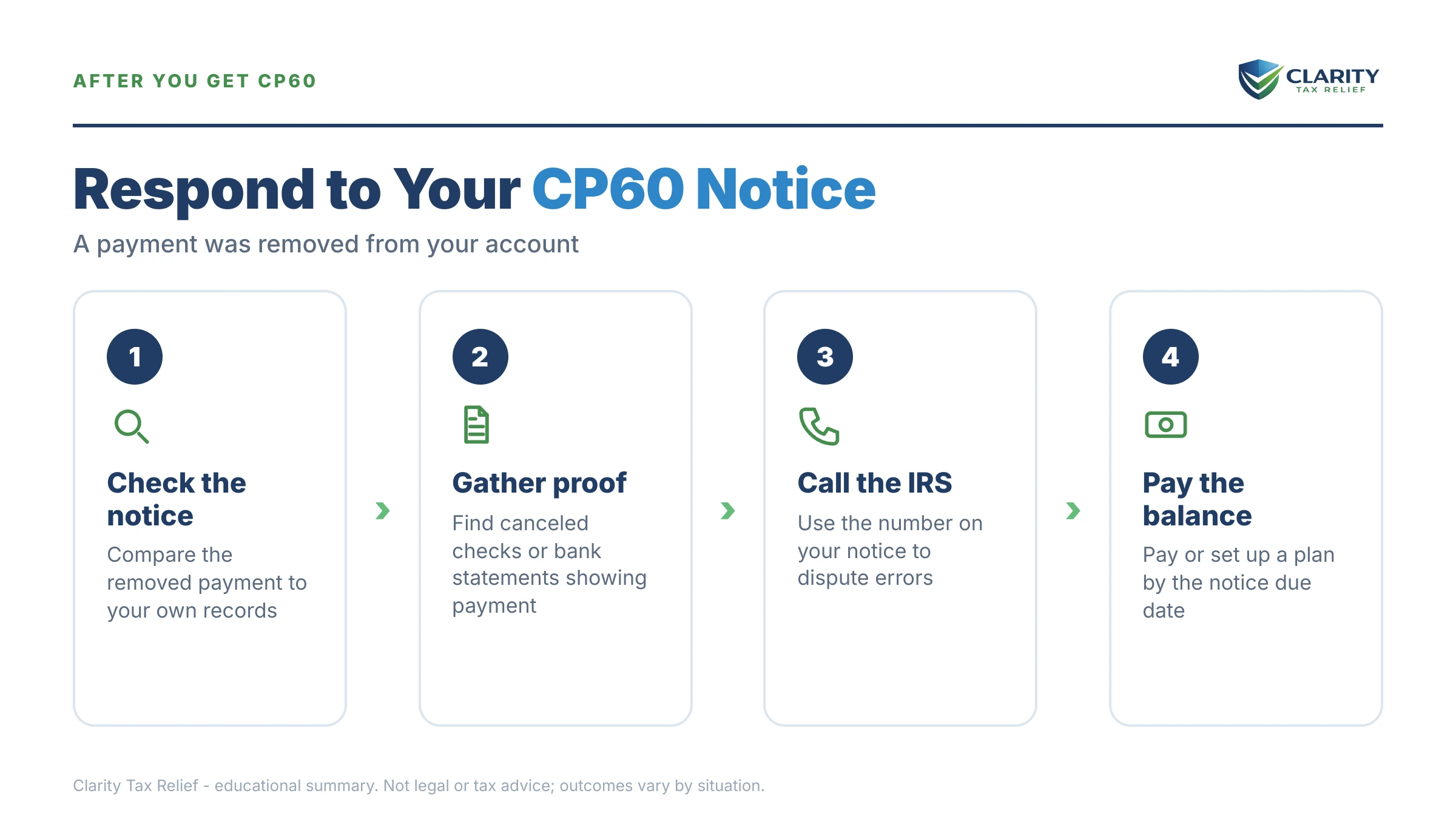
Was the removed payment actually yours? Check before you pay
Roughly speaking, every CP60 falls into one of two buckets — and the right response is opposite depending on which bucket you're in. If the removed payment was genuinely yours, you don't pay the CP60 — you get the payment re-applied.
Bucket one: your money, misapplied. You made the payment; it just posted to the wrong year or the wrong SSN. Paying the notice would mean paying the same tax twice and then fighting for a refund. Instead, gather proof — a bank statement showing the debit, the front and back of a canceled check, or the confirmation number from IRS Direct Pay or EFTPS — and ask the IRS to re-apply the payment to the correct year or account as of its original payment date. That last part matters: a payment credited with its original date wipes out the failure-to-pay penalty and most of the interest the CP60 added.
Bucket two: money that was never yours. If you can't find any record of making the payment — no debit, no check, no confirmation — the credit likely belonged to another taxpayer and the CP60 is simply correcting a windfall. The balance is real, and your job shifts to choosing how to pay it (covered below).
If interest was charged because of the IRS's own error or delay in applying your payment, you can request interest abatement under IRC §6404 on Form 843 — one of the rare paths to removing interest, not just penalties. Our guide to IRS interest abatement walks through when it applies and how to ask.
What your transcript shows after a CP60
On your IRS account transcript, a removed payment appears as transaction code 672 or 612, posted in the same amount as the original payment. Pulling the transcript is the fastest way to see what actually happened — including whether your money was moved to another year (where it may be sitting right now) or removed entirely. If transcripts are new to you, start with how to read an IRS account transcript, then look for these lines:
| Code | What it means | What to do |
|---|---|---|
| 610 / 670 | A payment posted to the account — 610 with a return, 670 as a later payment | Confirm the date and amount match the payment you believe you made |
| 612 / 672 | That payment was reversed — the removal your CP60 announces | Note the reversal date; check the other spouse's account or the adjacent tax year for where it went |
| 971 | Notice issued — the CP60 itself | Match it to the notice date; see code 971 on an IRS transcript |
| 276 | Failure-to-pay penalty assessed on the reopened balance | This should be reduced or removed if your payment is re-applied with its original date — see code 276 on a transcript |
| 196 | Interest charged back to the original due date | Request abatement if the misapplication was the IRS's error |
On a joint return, pull transcripts under the primary spouse's SSN — that's where joint-year activity lives, and it's often where a "missing" payment made under the secondary spouse's number failed to land.
What happens if you ignore a CP60 notice
A CP60 itself carries no levy power, but the balance it creates enters the IRS's automated collection sequence if you don't respond. Here's the practical progression:
- The meter runs. Interest compounds daily and the failure-to-pay penalty adds 0.5% per month to the reopened balance. You can estimate what each month costs with our IRS penalty & interest calculator.
- Reminder bills arrive. The balance moves into the standard notice track — the same one that follows any unpaid IRS bill.
- Refunds start disappearing. Any future federal refund is applied to the balance automatically, and your state refund becomes reachable once the intent-to-levy stage arrives.
- Levy power activates. After a final notice, the IRS can garnish wages and levy bank accounts — and by then, the cheap fixes (re-applying your payment, abating the interest) are buried under enforcement deadlines.
| Notice | What it adds | Your window |
|---|---|---|
| CP60 | Payment removed; balance due created — no enforcement power yet | Pay-by date printed on the notice (typically 21 days) |
| CP501 / CP503 | Reminder bills; balance grows monthly | The date printed on each notice |
| CP504 | Notice of Intent to Levy — the IRS can seize your state tax refund under IRC §6331(d) | The date printed on the notice |
| LT11 / Letter 1058 | Final notice — wage and bank levies become possible | 30 days to request a Collection Due Process hearing (Form 12153) |
One 2026 reality worth naming: the IRS workforce shrank by roughly 27% in 2025, so reaching a human to fix a misapplied payment takes persistence — but the notices above are generated by automated systems that never slowed down. The machine escalates on schedule whether or not anyone has looked at your proof yet, which is why documenting your dispute in writing, before the pay-by date, matters so much.
Holding a CP60 right now?
Before the pay-by date on your notice passes, let an experienced tax professional trace where your payment actually went — and whether you should be paying this at all. Free, confidential, no pressure.
Your options if the CP60 balance is real and you can't pay it at once
If the removed payment truly wasn't yours, the balance on the CP60 is ordinary tax debt — and the IRS has more programs for it than the notice mentions:
| Option | Fits when | Cost & notes |
|---|---|---|
| Pay in full | You can cover it without hardship | Stops all penalties and the notice sequence immediately |
| Short-term plan | You can pay within 180 days | $0 setup fee; interest and penalties continue until paid |
| Installment agreement | Balance ≤ $50,000: up to 72 months, usually set up online without financial disclosure; ≤ $10,000 may qualify for a guaranteed installment agreement | Setup fee varies; accruals continue on the shrinking balance |
| Currently Not Collectible | Paying anything would leave you unable to cover basic living expenses | Collection pauses; the debt and interest remain |
| Offer in Compromise | Your income and assets genuinely can't cover the debt before the collection statute runs | $205 fee (waived for low-income filers); the IRS accepted roughly 1 in 5 offers in FY2024 — means-tested, never automatic |
| Penalty relief | Clean compliance history, or circumstances beyond your control | See first-time penalty abatement; starting summer 2026, the Automatic Exemption from Penalty (AEP) applies qualifying relief with no request needed |
Whichever route fits, set it up before the pay-by date. Even an installment agreement started today keeps the balance out of the CP504/LT11 track entirely.
A worked example: $41,800 removed from a joint account
Say you and your spouse filed jointly for 2024 owing $41,800, and your spouse — the second name on the return — paid it through her own IRS online account in April 2025. Ten months later, a CP60 arrives: the IRS removed the $41,800 from the joint year because it posted under her SSN, not the primary account, and the notice shows the full balance due plus interest computed back to April 15.
Branch one — the payment was yours (it was). You pull her bank statement showing the $41,800 debit and the Direct Pay confirmation, then ask the IRS to transfer the credit to the joint account as of the original April payment date. Re-applied with that date, the tax was paid on time: the failure-to-pay penalty comes off, and interest attributable to the IRS's handling can be requested for abatement under §6404 on Form 843. Out-of-pocket cost if you handle it promptly: $0 beyond your time.
Branch two — imagine the credit was never yours. If no one in your household made that payment, the $41,800 is a real debt. At 0.5% per month, the failure-to-pay penalty alone adds about $209 a month ($41,800 × 0.005) while you decide. Because $41,800 is under the $50,000 line, a streamlined installment agreement over 72 months works out to roughly $581 a month minimum ($41,800 ÷ 72) before interest and penalty accruals, and can usually be set up online the same day. A 180-day short-term plan costs nothing to set up if you can raise the funds within six months.
The dollar difference between the branches is the entire point of tracing the payment first: one path costs nothing, the other costs $41,800 plus accruals. Never pay a CP60 until you know which branch you're on.
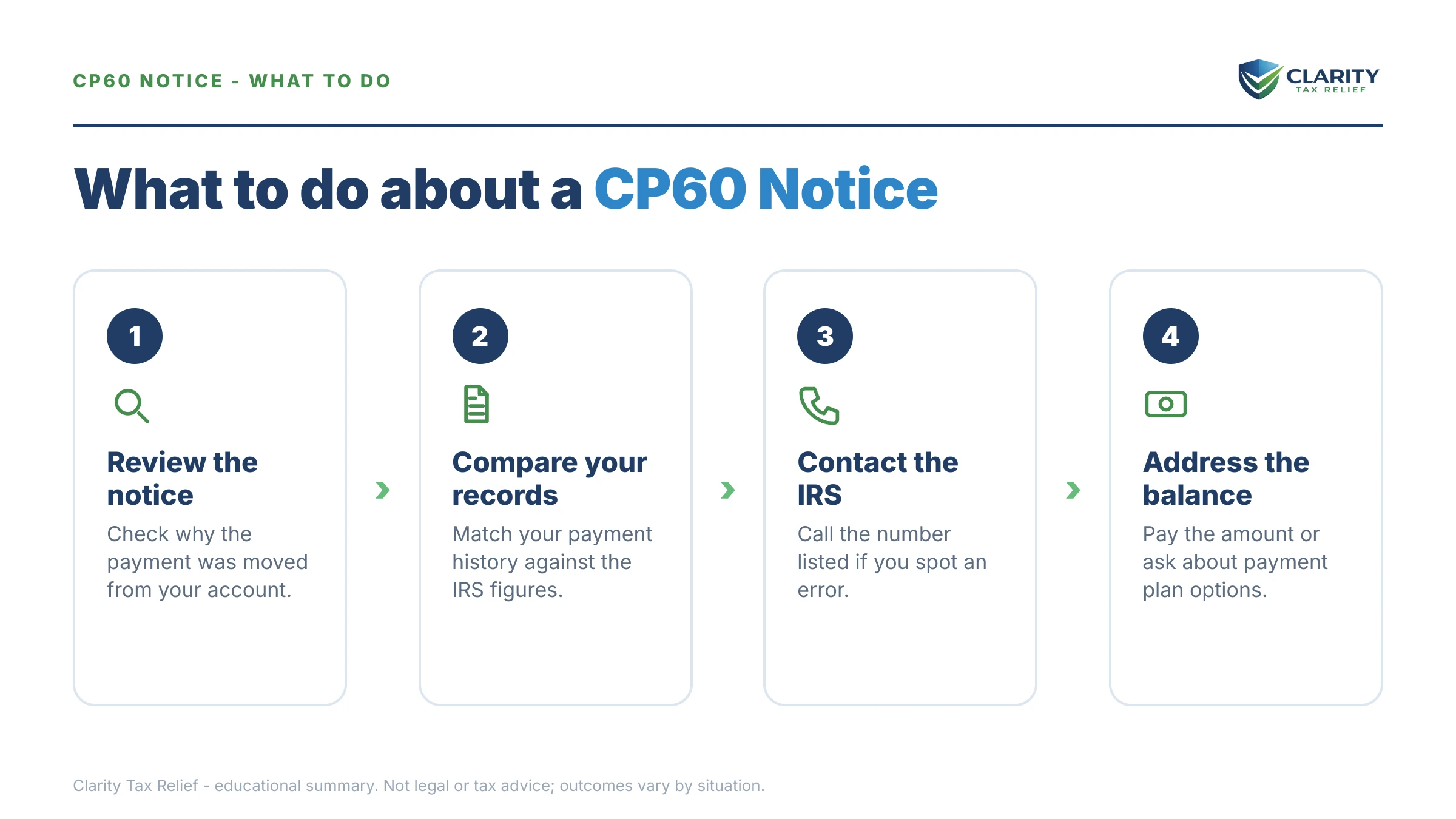
How to respond to a CP60 notice, step by step
- Find the removed payment. Your CP60 lists the date and amount of the payment the IRS took off your account — write both down. Every call and letter about this notice starts with those two numbers.
- Pull your proof of payment. A bank statement, the front and back of a canceled check, or an IRS Direct Pay or EFTPS confirmation showing the date, the amount, and the SSN or tax year the payment was sent under.
- Check your account transcript. Log in at IRS.gov, pull the account transcript for the year on the notice, and look for the code 672 or 612 reversal — and for whether the payment moved to another year or account.
- Call the number on the notice if the payment was yours. Ask the IRS to re-apply the payment to the correct year or SSN as of its original payment date, and request abatement of any interest the misapplication caused.
- Set up a payment option if the balance is real. Pay at IRS.gov/payments, or arrange a short-term plan or installment agreement before the pay-by date so the balance never enters the collection sequence.
- Get a professional review if the trail is murky. Multiple years, a payment that vanished entirely, or a five-figure balance are worth an experienced tax professional's eyes before you pay anything.
Whatever you send the IRS, send copies — never originals — and keep a dated record of every call, including the employee's ID number. Misapplied-payment corrections sometimes take more than one contact to stick, and your paper trail is what protects you if a later notice ignores the first fix.
When you can handle a CP60 yourself — and when to get help
Many CP60s are genuinely do-it-yourself fixes. Handle it on your own when the story is clean: one tax year, one payment, and clear proof in hand — a bank record that matches the removed amount to the dollar. One documented phone call or letter often resolves it, and if the balance is real but small, setting up a short-term plan or online installment agreement takes minutes through your IRS online account.
Experienced help changes the outcome when the trail isn't clean: a payment that appears on no transcript anywhere, reversals spanning multiple years or both spouses' accounts, a CP60 arriving after a CP504 or final notice has already started the enforcement clock, business or payroll deposits in the mix, or a five-figure balance — like the $41,800 example above — where a wrong move means paying twice and spending a year chasing the refund. A professional can pull every transcript at once under a power of attorney, spot where the money actually sits, and sequence the fix (re-application, then interest abatement, then any remaining balance) in the order that costs you least.
Terms on your CP60, decoded
- Misapplied payment — a payment credited to the wrong taxpayer, tax year, or account; the CP60 announces its removal from yours.
- Transaction code 672 (or 612) — the transcript entry marking a reversed payment; it mirrors the original 670 (or 610) payment line in the same amount.
- Failure-to-pay penalty — 0.5% of the unpaid balance per month; it disappears retroactively if your payment is re-applied with its original on-time date.
- Interest abatement (IRC §6404) — the IRS's authority to remove interest caused by its own errors or delays; requested on Form 843.
- Notice date vs. pay-by date — the notice date starts the interest math the IRS printed; the pay-by date is your action deadline before the balance enters the reminder sequence.
CP60 notice questions, answered
What does IRS notice CP60 mean?
A CP60 means the IRS removed a payment that was credited to your account in error, and removing it left a balance due. The notice shows the payment amount, the tax year, and a pay-by date. It is not an audit and it is not a math-error adjustment — it is the reversal of a payment the IRS now says never belonged on your account.
Why did the IRS remove a payment I actually made?
Usually because the payment posted to the wrong place — the wrong tax year, the wrong Social Security number (common when the second spouse on a joint return pays under their own number), or a mistyped account. If you have proof you made the payment — a bank statement, a canceled check, or a Direct Pay or EFTPS confirmation — the fix is getting it re-applied, not paying twice.
Do I owe interest if the IRS misapplied my payment?
Not necessarily. If the misapplication was the IRS's error and your payment was on time, ask for the payment to be credited as of its original date and request interest abatement under IRC §6404 using Form 843. Interest abatement for IRS error is one of the few situations where the IRS can remove interest itself, not just penalties.
What if the removed payment was never mine?
Then the CP60 simply takes back money that was never yours, and the balance due is real. This happens when another taxpayer's payment lands on your account and the IRS later catches it. You can't keep the windfall — but you can still use a payment plan, penalty relief, or hardship status on the resulting balance if you can't pay it at once.
How long do I have to respond to a CP60 notice?
Respond by the pay-by date printed on the notice — typically 21 days from the notice date for most balance-due notices. Missing it doesn't trigger an immediate levy, but interest and the 0.5% monthly failure-to-pay penalty keep running, and the balance feeds into the IRS's automated reminder sequence (CP501, CP503, then CP504) if it stays unpaid.
Is a CP60 the same as a CP62?
No — they're mirror images. A CP62 says the IRS found and applied a payment to your account; a CP60 says the IRS removed one. If you received both a few weeks apart, the IRS likely moved a payment from one year or account to another, and the transcripts for both years will show the transfer.
Can I set up a payment plan for a CP60 balance?
Yes. A CP60 balance is ordinary tax debt for payment purposes: up to 180 days with a $0-setup short-term plan, or a monthly installment agreement — balances of $50,000 or less can usually be set up online for up to 72 months. Interest and penalties continue to accrue until the balance is paid in full.
Will a CP60 notice lead to a levy?
Not by itself. A CP60 carries no levy power — but the balance it creates enters the normal collection track if ignored. Levies only become possible after the IRS issues a final notice of intent to levy (LT11 or Letter 1058), which gives you 30 days to request a Collection Due Process hearing before anything is seized.
Your next 24 hours
- Find the removed payment on your notice. The CP60 prints the date and amount of the payment the IRS took off your account — circle both. They're the key to everything.
- Gather your proof. The bank statement or payment confirmation matching that date and amount, your last tax return, and the notice itself — all three in one folder.
- Get a free case review before the pay-by date. Send us a photo of your CP60 through the 2-minute form or call (888) 825-7779 — an experienced tax professional will trace where the payment went and tell you whether you should be paying this at all.
The IRS's own explainer for this notice is at Understanding your CP60 notice.
This guide is general information, not tax or legal advice for your specific situation. Eligibility for IRS programs depends on individual facts and circumstances; no outcome is guaranteed.