
IRS Transcripts
What Day Do IRS Transcripts Update? The 2026 Schedule, Explained
The short answer: for most taxpayers, IRS transcripts update early Friday morning — overnight Thursday into Friday, typically between midnight and 6 a.m. Eastern. That's because most accounts are "weekly" (cycle code ending in 05). "Daily" accounts (cycle codes 01–04) can update any night Tuesday through Friday. Transcripts never update in real time.
It's before sunrise and you're logged into your IRS account again, staring at a transcript that looks exactly like it did last week. Maybe you're waiting on a refund — or maybe, like a lot of 1099 workers with a few unfiled years behind them, you're watching to see when the IRS notices. Either way, the answer to "what day do IRS transcripts update" isn't a mystery: your personal update day is printed on the transcript itself, as a cycle code.
The image below shows exactly what an account transcript looks like and where the cycle code sits, so you can find yours in seconds. Once you know your day, you can stop refreshing and start reading what the codes are actually telling you.
⏱ The clock that actually matters: while you refresh transcripts, penalties don't pause. The failure-to-file penalty runs at 5% per month (capped at 25%) on each unfiled year with a balance — ten times the 0.5% monthly failure-to-pay rate. Filing stops the bigger clock no matter what day transcripts update.
What day do IRS transcripts update? The weekly cycle, explained
IRS transcripts update in overnight batches driven by the Individual Master File (IMF) — the IRS's core account database — not in real time. The IRS has never published an official consumer-facing schedule, but the master file's processing rhythm has been consistent and observable for years: accounts post Tuesday through Friday nights, and the results appear on transcripts the next morning.
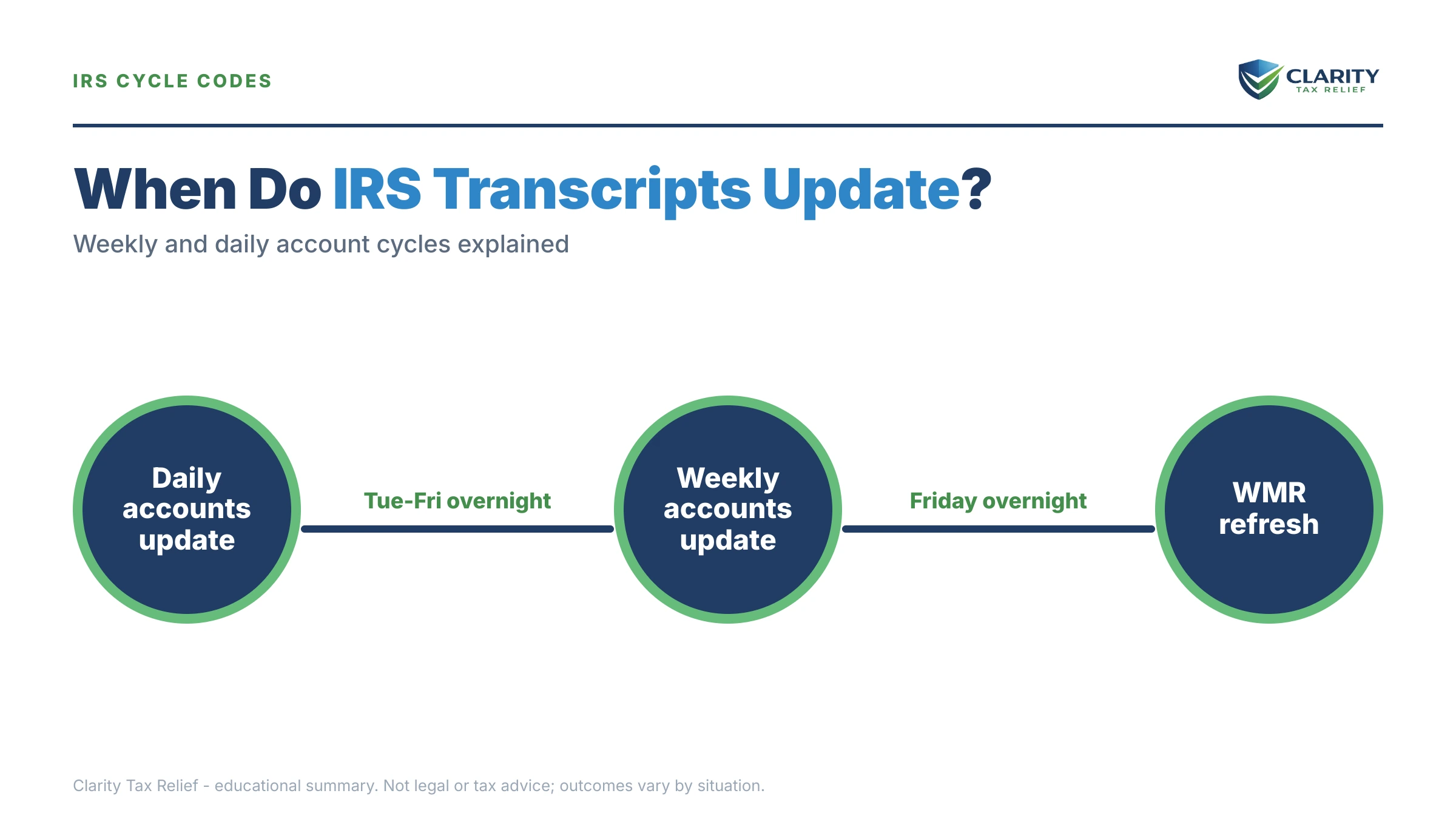
Every taxpayer's account is assigned to one of two processing tracks. Most individual accounts are "weekly," and weekly accounts update once — overnight Thursday into early Friday morning. A smaller group of "daily" accounts can pick up new codes any overnight run, Tuesday through Friday. You don't choose your track; the IRS assigns it, and it can even change from year to year.
That's why refreshing your transcript five times a day accomplishes nothing. If you're a weekly account, six of the seven days each week are guaranteed to look identical. The whole game is knowing which track you're on — which brings us to the cycle code. (For a full walkthrough of everything else on the document, see how to read an IRS account transcript.)
Finding your cycle code: daily vs. weekly accounts
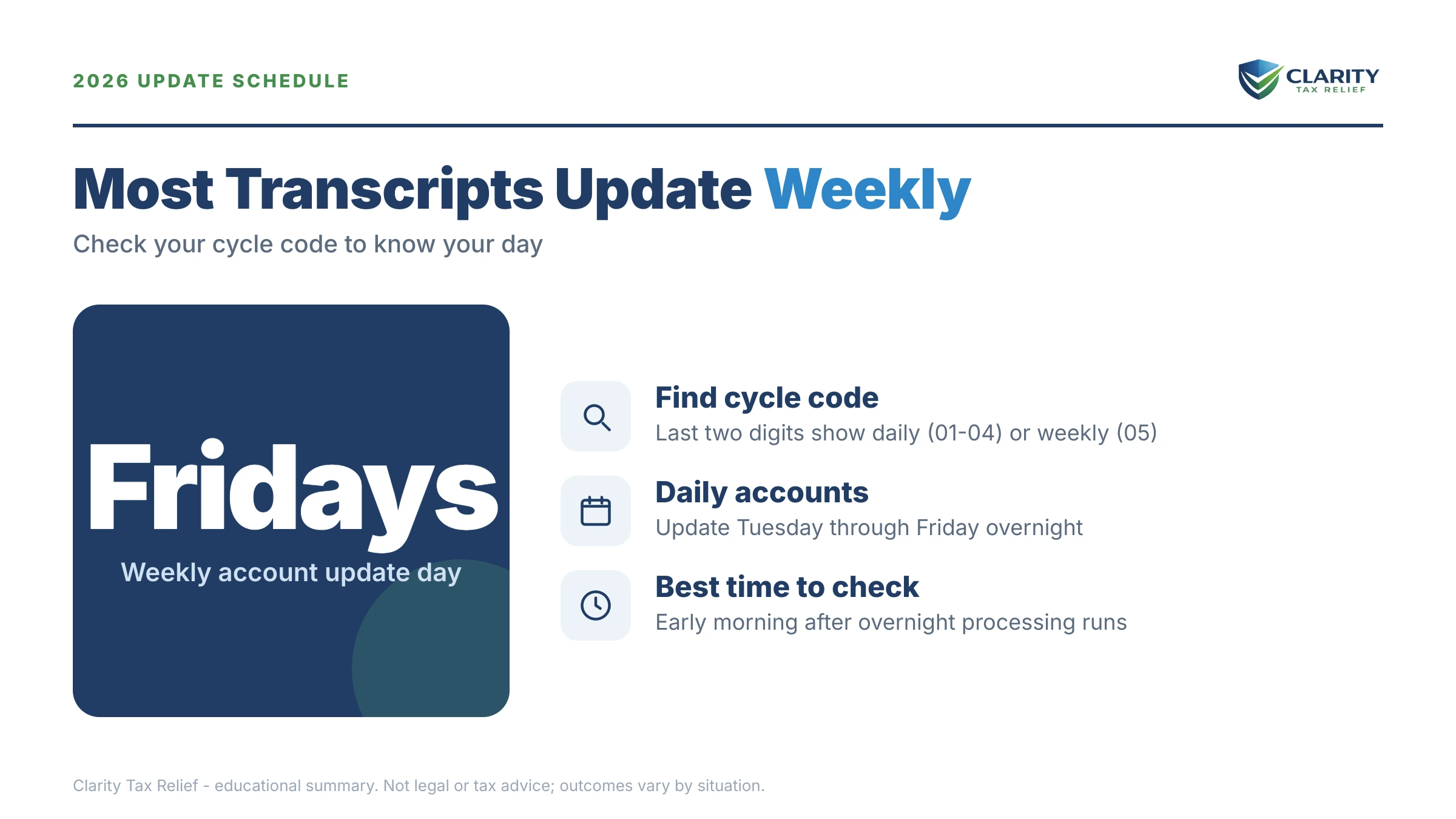
Your cycle code is an eight-digit number on your account transcript that tells you exactly which day your account posts. It sits in the CYCLE column of the transactions section, on the same row as code 150 — return filed. A code like 20260805 breaks down as: year 2026, the eighth processing week of the year, posting day 05. The IRS cycle code meaning guide decodes the full format; for update-day purposes, only the last two digits matter.
| Cycle code ends in | Account type | Transcript typically updates | Where's My Refund typically updates |
|---|---|---|---|
| 01, 02, 03, or 04 | Daily | Overnight, Tuesday through Friday (roughly midnight–6 a.m. ET) | The following morning |
| 05 | Weekly (most taxpayers) | Overnight Thursday into early Friday morning | Saturday morning |
Two practical notes on that table. First, the times are the observed pattern, not a published guarantee — during peak filing season or system maintenance, an update can slide a day. Second, transcripts and Where's My Refund are different systems: the transcript reads straight from the master file and moves first, while WMR is a simplified display that lags behind it. If yours moved and WMR didn't, that mismatch is normal — the transcript updated but WMR didn't guide covers why.
Which transcript type updates first
The account transcript is the live document — it's where new activity appears first, and it's the only one worth checking on update day. The IRS offers four transcript types, and they refresh very differently:
- Account transcript — updates on your cycle schedule above. Every payment, hold, notice, and refund code posts here. This is the one to watch.
- Return transcript — a snapshot of your filed return. It appears once your return fully posts (code 150) and then rarely changes.
- Wage and income transcript — fills in as employers and payers file W-2s, 1099s, and 1099-Ks. Current-year data usually isn't complete until late spring or summer, which matters if you're using it to reconstruct unfiled years — the IRS wage and income transcript guide explains the timing.
- Record of account — a combined view of the first two; it updates when they do.
If a year shows nothing at all, that's its own signal. An IRS transcript that says N/A means the return for that year either hasn't finished processing — or was never filed. For someone with unfiled years, those N/A rows are the IRS's view of the gap too.
What happens if your transcript stops updating
A transcript that skips update after update usually means the account is sitting behind a hold, a review, or a missing return — and each stage has its own code. The sequence typically runs in this order, one weekly cycle at a time:
- Early cycles: only 150, 806, and credit codes. Your return posted, withholding was credited, and nothing is wrong yet — most refunds clear within a few cycles from here.
- Code 570 posts — everything pauses. A 570 is an account hold: something needs review before a refund or adjustment can release. Nothing else will post until it resolves.
- Code 971 follows — a letter is coming. The IRS issued a notice explaining the hold (often a CP05 review or 4464C letter). The 570 and 971 codes on transcript pairing is the most common stall pattern watchers see.
- Exam or freeze codes appear. A code 420 on an IRS transcript means the return was routed toward examination; a code 810 refund freeze stops all refund activity until the underlying issue — often identity verification — is cleared.
- Unfiled years surface. If you have back years missing, the IRS can hold any current refund while it demands the old returns, and its automated non-filer track can eventually build a substitute-for-return assessment against you — using gross income figures with none of your deductions.
No stage on that list resolves itself by being watched. Each one has a specific response — a notice to answer, a verification to complete, or a return to file — and the account stays frozen until that response happens.
Transcript stuck — or dreading what it will finally show?
If your transcript hasn't moved in weeks, shows a 570 or 810, or you're a 1099 worker with unfiled years waiting to surface, get it decoded before penalties and interest grow the problem further. An experienced tax professional will pull your full account file and map your options — free, confidential, no pressure.
Your options when the update you need isn't coming
What to do about a stalled transcript depends entirely on which code is doing the stalling. Match what you see on update day to the action it calls for:
| Code | What it means | What to do |
|---|---|---|
| 150 | Return posted; tax assessed | Nothing — this is the baseline. Note the cycle code on this row. |
| 806 | W-2/1099 withholding credited | Confirm the amount matches your actual withholding. |
| 570 | Hold — refund or adjustment paused | Wait one to two cycles for a 971, then answer the letter it signals. |
| 971 | Notice issued | Read and respond to the notice — the transcript won't move until you do. |
| 420 | Routed to examination | Gather documentation now; an audit letter typically follows. |
| 810 | Refund freeze | Complete any identity verification requested; the freeze holds everything until cleared. |
| 846 | Refund issued, with date | Nothing — the date next to 846 is your actual deposit date. |
Beyond code-specific responses, three broader paths cover most stuck accounts. If the hold traces to a review notice, a documented written response resolves it faster than repeat phone attempts — worth knowing in 2026, when the IRS workforce is down roughly 27% and hold times are long while the automated systems keep running. If the delay is causing genuine financial hardship — an eviction notice, a utility shutoff — the Taxpayer Advocate Service can intervene on your behalf. And if the real blocker is unfiled back years, filing them is the only move that unfreezes anything: the IRS generally requires filed returns before it will release held refunds or approve a payment arrangement, and haven't filed taxes in 3 years walks through catching up before the IRS files for you.
A worked example: three unfiled years and $13,600
Say you're a gig worker with three unfiled years, and once the returns are prepared they show $13,600 owed in total. The failure-to-file penalty runs 5% per month, capped at 25% per return — if all three years have hit the cap, that's roughly $3,400 in late-filing penalties alone ($13,600 × 25%), before the 0.5% monthly failure-to-pay penalty and interest stack on top. Filing all three returns immediately stops the 5% clock; what keeps running afterward is a tenth as fast.
Once filed, $13,600 sits well under the $50,000 ceiling for setting up a long-term IRS payment plan online. Spread over 72 months, that's about $189/month ($13,600 ÷ 72) before the interest and penalties that continue to accrue until the balance is paid. You can estimate your own penalty stack with our IRS Penalty & Interest Calculator — and either way, the math points the same direction: the transcript-watching phase is cheapest to end by filing, not waiting.
How to find your transcript update day, step by step
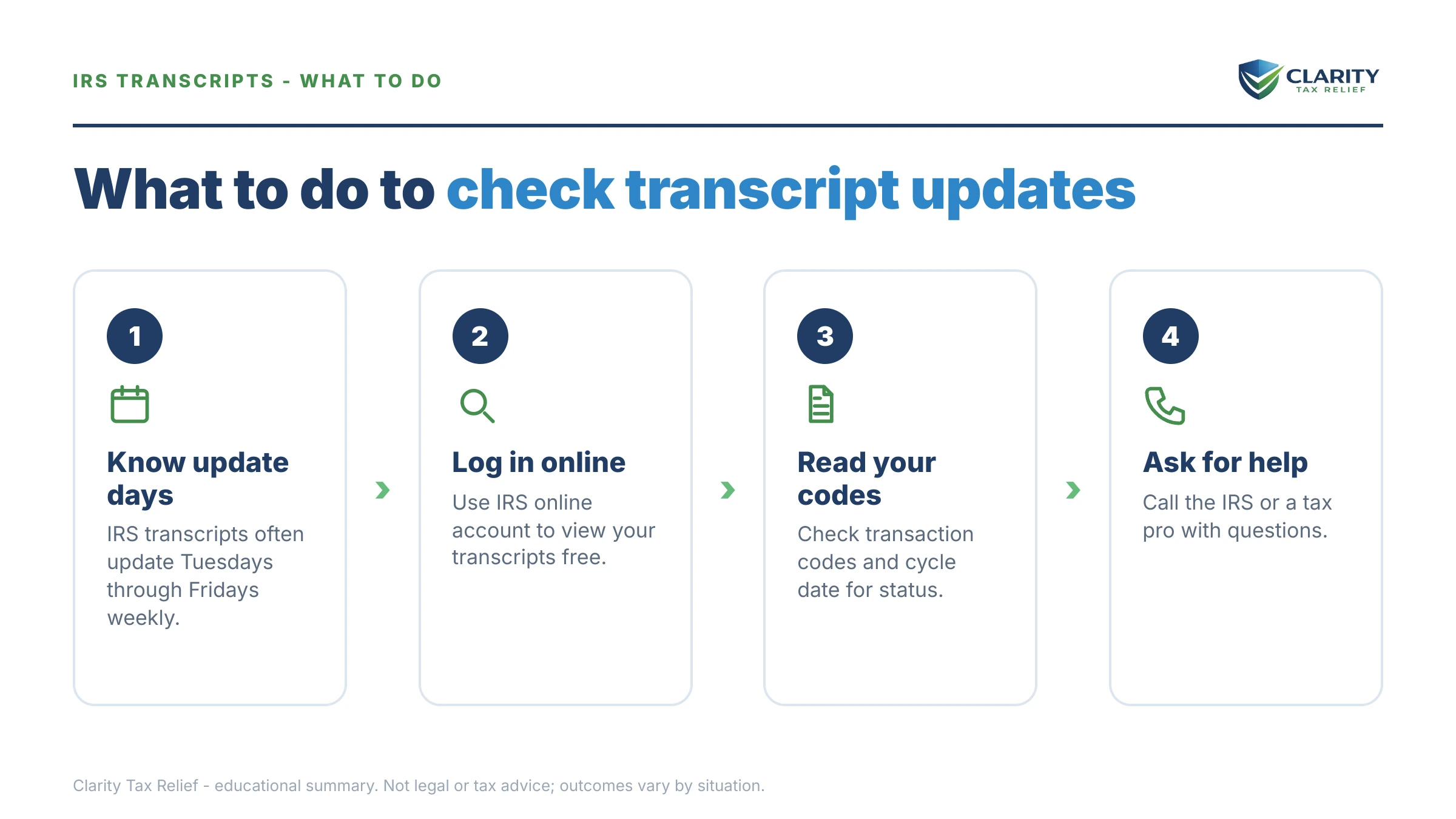
- Pull your account transcript. Log in to your IRS Online Account and open the account transcript for the most recent tax year you filed.
- Find the cycle code. Look for the eight-digit number (like 20260805) in the CYCLE column of the transactions section, on the same row as code 150.
- Read the last two digits. 05 means weekly — check Friday morning. 01 through 04 means daily — new codes can post any morning Tuesday through Friday.
- Check once, after 6 a.m. Eastern. One look on your update day tells you everything hourly refreshing would; updates post overnight, not during the day.
- Act on new codes, not the calendar. When something posts, look up what the code means and respond to any notice it signals instead of waiting out another cycle.
If you can't get into the online account, the same transcripts are available by mail through the IRS Get Transcript service — slower, but the cycle code on the paper copy reads identically.
When you can handle this yourself
Most transcript-timing questions need no professional help at all. If you filed a complete, accurate return and you're simply waiting for a refund, finding your cycle code and checking once a week is the whole job. The same goes for a single 570/971 pair where the letter arrives, you understand it, and you can answer it with documents you have. Watching for an 846 requires patience, not a professional.
Experienced help changes outcomes in a narrower set of situations: multiple unfiled years, where filing order and reconstructed income determine whether the IRS accepts your numbers or assesses its own; an 810 freeze or 420 exam code, where the response you send shapes what happens next; a balance you can't pay once the returns post; or a hardship the normal channels are too slow for. In those cases a professional can pull every year's transcript at once, spot the substitute-for-return risk before it lands, and sequence the fix — returns first, penalty relief second, then the balance. If the delay itself is causing hardship, the Taxpayer Advocate Service is a free, independent option worth knowing about too.
Terms on your transcript, decoded
- Cycle code — the eight-digit stamp (year + week + posting day) that reveals whether your account updates daily or weekly.
- Individual Master File (IMF) — the IRS database where individual accounts live; transcripts are a printout of what it contains after each overnight batch run.
- Transaction code (TC) — the three-digit codes (150, 570, 846…) that record every action on your account, each with a posting date.
- "As of" date — the date through which interest and penalties have been calculated; it moves routinely and predicts nothing. See the as of date IRS transcript guide before reading meaning into it.
- Freeze code — a code (like 810) that locks refund activity until a specific condition — often identity verification — is cleared.
- N/A — no processed return on file for that year: either still processing, or never filed.
Transcript update questions, answered
What time of day do IRS transcripts update?
Overnight — most updates post between midnight and 6 a.m. Eastern, and many transcript watchers see changes land between roughly 3 a.m. and 6 a.m. The IRS doesn't publish an official hour, and the window can slip during peak season or system maintenance. Checking once after 6 a.m. Eastern on your update day tells you everything that checking hourly would.
Do IRS transcripts update on weekends?
Generally no. Transcript updates follow the master-file processing cycle, which runs Tuesday through Friday nights, so Saturday and Sunday almost never bring new transcript codes. The exception is Where's My Refund, which does a large refresh early Saturday morning for weekly accounts — a Saturday WMR change usually reflects a transcript update that already posted Friday.
What does a cycle code ending in 05 mean?
It means yours is a weekly account: your transcript updates once per week, overnight Thursday into early Friday morning. The last two digits of the eight-digit cycle code show how your account posts — 01 through 04 are daily accounts, and 05 is weekly. Most individual taxpayers are weekly, and you can't choose or change your assignment.
Why did my transcript update but Where's My Refund didn't?
Because they're separate systems on separate refresh schedules. Transcripts read from the IRS master file and update first; Where's My Refund is a simplified status tool that typically catches up a day later — or Saturday morning for weekly accounts. If your transcript shows code 846 with a deposit date, trust the transcript; WMR lagging behind it is normal, not a problem.
How often do wage and income transcripts update?
Continuously, as employers' and payers' forms are processed — but slowly. Current-year W-2s and 1099s trickle in through spring, and the wage and income transcript often isn't complete until summer. If you're reconstructing income for unfiled returns, that matters: filing an old year from an incomplete wage and income transcript can understate income and trigger a mismatch notice later.
Why does my transcript say N/A for this year?
N/A means the IRS hasn't finished processing — or never received — a return for that year. Early in the season it usually just means your return hasn't posted yet, so give it a few weekly cycles. If a year stays N/A because you never filed, that's the gap to close, since the IRS's automated non-filer programs work from the same records you're looking at.
Does a new "as of" date mean my refund is coming?
No. The "as of" date is an internal accrual date — the day through which the IRS has calculated interest and penalties on your account. It moves forward routinely when the system recalculates, and it doesn't signal an approved refund or a completed review. The only code that sets a refund date is 846, which prints the actual deposit date next to it.
Do amended returns follow the same transcript update schedule?
They post through the same weekly transcript cycles, but on a much slower track. An amended return typically appears as codes 971 and 977 when received, then can sit for months before the adjustment itself posts. Checking every Friday won't speed it up — amended-return processing is measured in months, not cycles, so check monthly and watch for a 290 or 291 adjustment code.
Your next 24 hours
- Find your cycle code. Pull your account transcript, look at the CYCLE column on the code 150 row, and note the last two digits — that's your update day, settled for good.
- Gather your records. Your last filed return, any IRS letters you've received, and income documents (or wage and income transcripts) for any year that shows N/A.
- Get a free case review. If your transcript shows a hold code, an exam code, or unfiled years, have an experienced tax professional read the whole file before another month of penalties and interest accrues — the 2-minute form at claritytaxrelief.com/#consult or (888) 825-7779.
Whatever the transcript shows, payments and payment plans are set up directly at IRS.gov/payments — never through anyone who contacts you first.
This guide is general information, not tax or legal advice for your specific situation. Eligibility for IRS programs depends on individual facts and circumstances; no outcome is guaranteed.