
IRS Transcripts
IRS Transcript Says N/A in 2027: What It Means and How to Fix It
The short answer: when your IRS transcript says N/A, the IRS has no processed return on file for the year and transcript type you selected. It's not an error or an audit flag — the return is still processing, was never filed, or you picked a year that isn't available yet.
You logged into your IRS online account to see whether your return posted, clicked through to the transcript menu, and the year you need shows nothing but N/A. No codes, no dates, no explanation of whether that's normal or a problem. If your IRS transcript says N/A in 2027, the fix depends entirely on why it says N/A — and you can usually diagnose that in about ten minutes.
Here's the one distinction that matters most: N/A because a return is still processing costs you nothing but patience. N/A because a return was never filed quietly gets more expensive every month. This guide shows you how to tell which one you have.
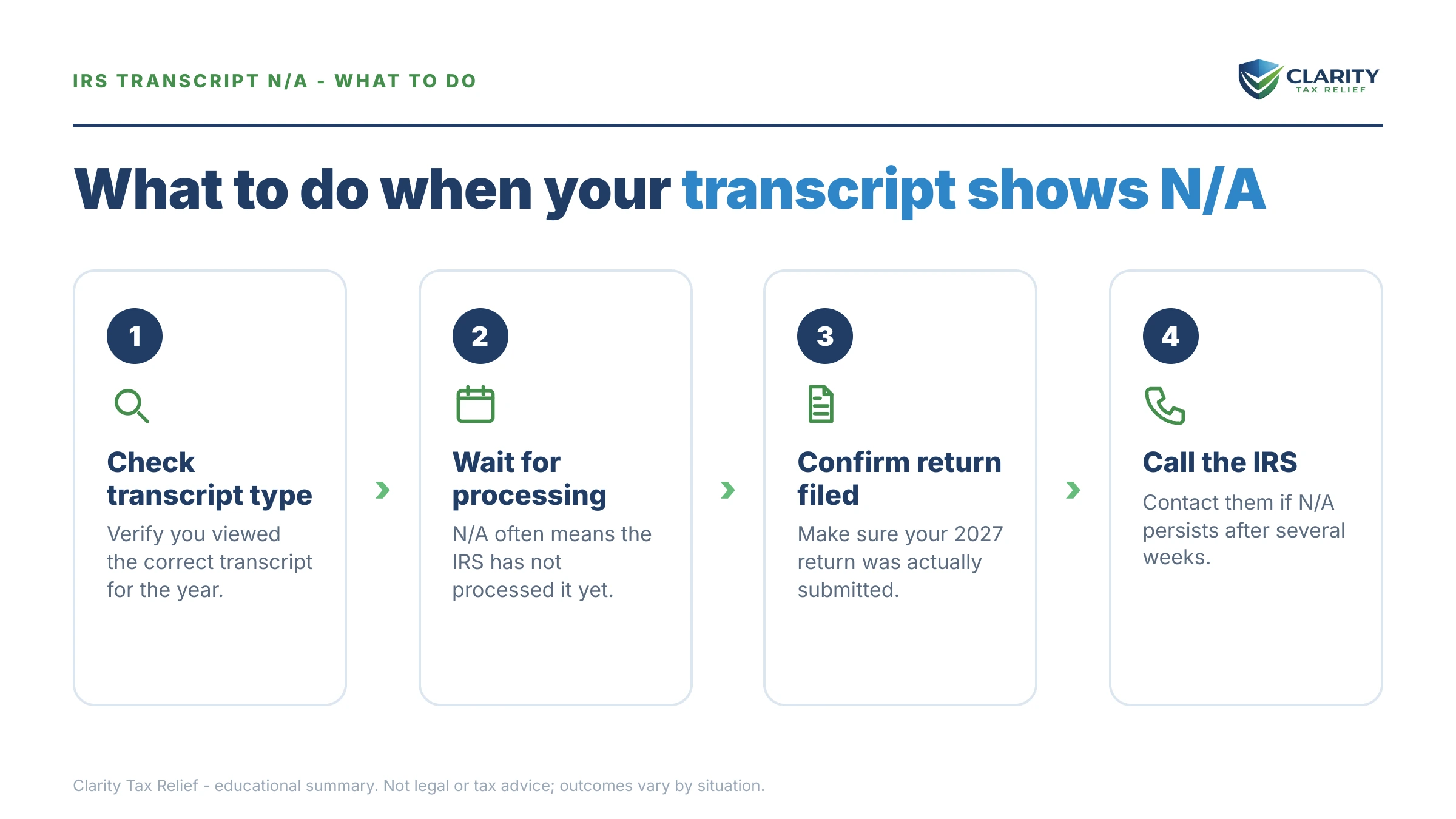
The transcript screen itself is half the confusion — the image below shows exactly what the N/A status looks like on the IRS transcript menu and where to look, so you can tell a routine delay from a real gap in your file.
⏱ The real clock: an N/A transcript has no response deadline — but if the missing year has a balance due, penalties and interest accrue monthly from the original due date whether or not the transcript ever populates. An unfiled year is worse: the failure-to-file penalty runs at 5% per month, ten times the rate for filing on time and paying late — though in months where both penalties apply, the failure-to-file portion drops to 4.5% (5% combined).
Why your IRS transcript says N/A in 2027
N/A on an IRS transcript means the system cannot generate that transcript because no fully processed return exists for the year you selected. The transcript tool lists tax years, not calendar years — and that trips up more people than anything else on the page.
During 2027, the returns being filed and processed are tax year 2026 returns. If you select 2027 in the dropdown, it will show N/A for every taxpayer in America, because tax year 2027 returns can't even be filed until early 2028. Before you troubleshoot anything else, confirm you're looking at the 2026 row.
If 2026 is the year showing N/A, the cause is one of six situations — each with its own timeline and its own fix:
| Situation | Typical timeline | Your next step |
|---|---|---|
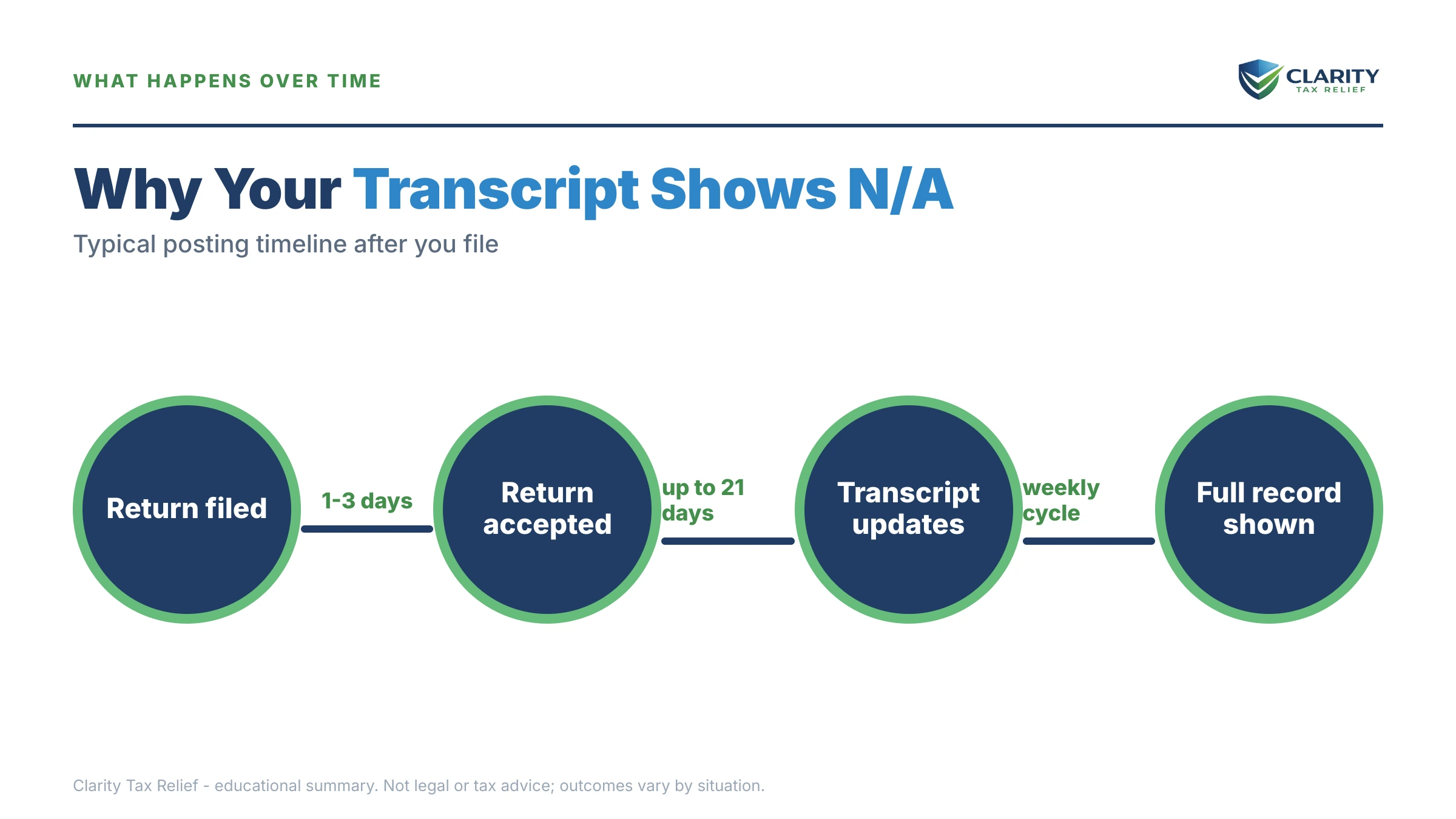
| E-filed and accepted within the last month | Transcripts typically populate two to four weeks after acceptance | Wait — check once a week, not daily |
| Filed a paper return | Six weeks or more; longer during backlogs | Confirm delivery, then wait it out |
| E-file was rejected | Never updates — a rejected return never reached the IRS | Fix the error and resubmit immediately |
| Identity verification hold (Letter 5071C) | Frozen until you verify your identity | Complete verification, then allow several more weeks |
| Selected tax year 2027 itself | N/A for everyone until the 2028 filing season | Select tax year 2026 instead |
| Never filed for that year | N/A indefinitely — until you file, or the IRS files for you | File now, even if you can't pay |
Two of these deserve a closer look. A rejected e-file is the sneakiest cause, because your software may have emailed you a rejection notice that went to spam — you believe you filed, the IRS has literally nothing, and the transcript will say N/A forever until you resubmit. And an identity verification hold means the IRS received your return but won't process it until you respond to a 5071C identity verification letter; the transcript stays N/A the entire time you don't act.
One more 2027-specific reality: IRS processing capacity is thinner than it used to be after the 2025 workforce cuts, so "still processing" windows stretch longer than the historical norms. If your timing is borderline, see how IRS layoffs and 2026 processing delays are affecting transcript updates before assuming something went wrong.
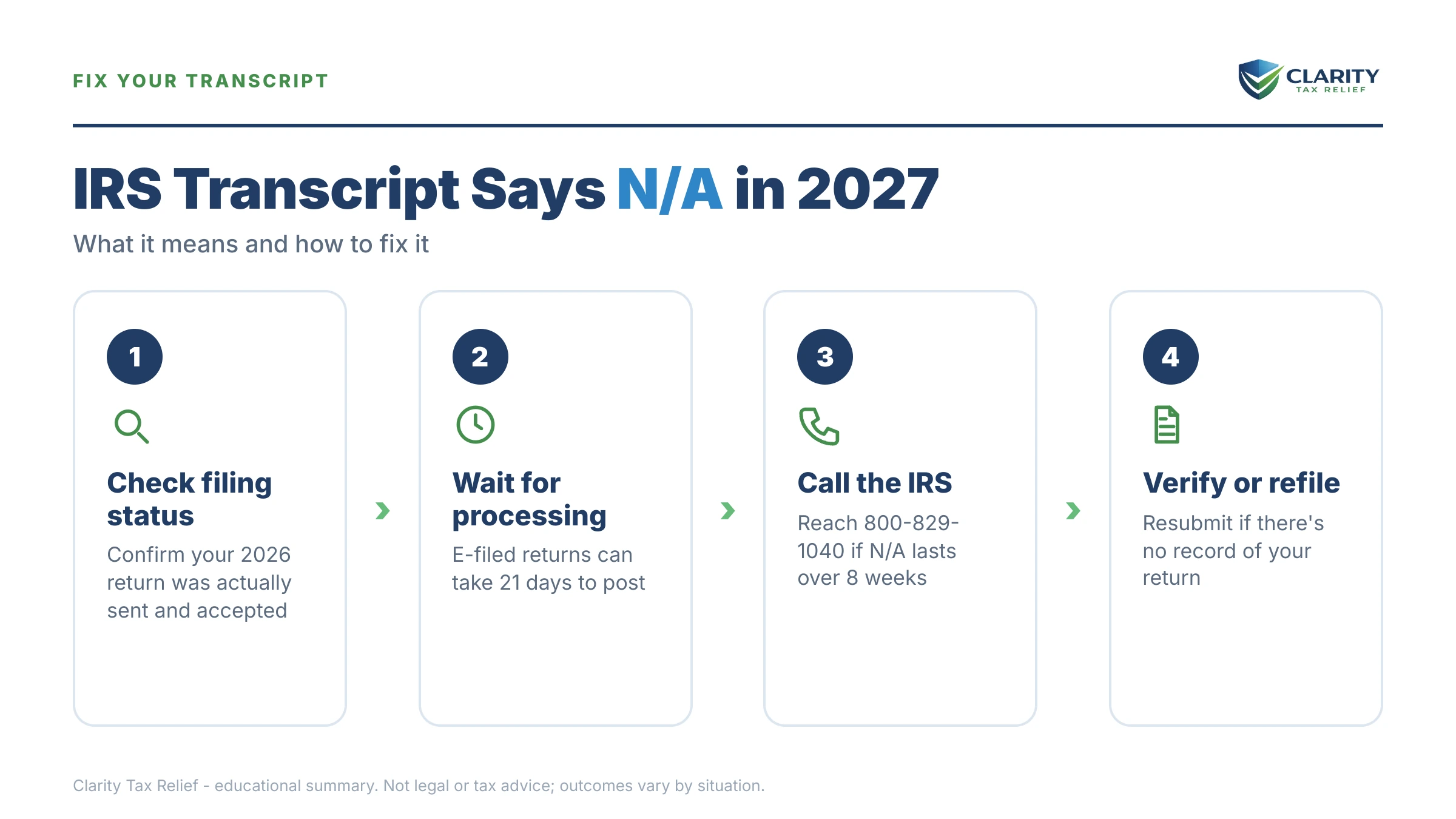
N/A vs. "no record of return filed": which screen you're reading matters
The IRS generates four different transcript types, and N/A means something different on each one. Most people check only the return transcript and panic — when the account transcript, one click away, would have answered the question. (If you've never worked with these documents, our hub on how to read an IRS account transcript walks through every section.)
| Transcript type | What N/A means there | What to do |
|---|---|---|
| Tax return transcript | No return has finished processing for that year — the most common N/A | Confirm the return was received, then allow the normal processing window |
| Account transcript | The account has no activity at all for that year — no payments, no withholding posted | Check the wage and income transcript to see what the IRS has received about you |
| Record of account | Combines the two above, so it shows N/A whenever the return transcript does | Use the account transcript alone instead |
| Wage & income transcript | Employer and payer forms haven't posted yet — 2026 W-2s and 1099s fill in through spring and summer 2027 | Wait for the forms to post, or use your own copies to file |
The single most useful diagnostic: pull the account transcript for the same year your return transcript shows N/A. If the account transcript generates and shows your withholding credits, your return is somewhere in the pipeline — a timing issue, not a filing issue. If the account transcript instead prints "no record of return filed," the IRS is telling you plainly that no processed return is attached to that year.
Once your return does process, the account transcript will show code 150 — return filed with your assessed tax. Until that code exists, everything downstream (refund, payment plan on a new balance, proof of filing for a lender) is stuck. Our guide to the wage and income transcript covers the one transcript that populates on its own schedule, straight from employer filings, regardless of whether you ever file.
What waiting costs when you owe: a worked example
An N/A transcript pauses your information — it does not pause your penalties. The math below is hypothetical, but the rates are real.
Say you're a single W-2 employee whose 2026 return came out to $16,400 due — under-withholding plus a stock sale you didn't adjust for. Two paths from the same N/A screen:
- You filed on time but couldn't pay. The transcript says N/A because the return is still processing. The failure-to-pay penalty runs 0.5% per month: $16,400 × 0.5% = $82 per month, roughly $492 over six months, plus compounding interest on top. Painful, but linear — and a payment plan (about $228/month on a 72-month schedule before interest, since $16,400 is well under the $50,000 online threshold) stops the escalation the day it's set up.
- You never filed. Now the failure-to-file penalty applies at 5% per month — reduced to 4.5% in months where the 0.5% failure-to-pay penalty also runs (5% combined). Here that's $16,400 × 4.5% = $738 per month in filing penalties, plus the $82 failure-to-pay, for $820 per month combined. The failure-to-file portion caps at 25% of the balance: $4,100 in filing penalties alone, reached in under six months. Filing the return — even with zero payment attached — eliminates that 4.5%-per-month filing penalty, leaving only the 0.5% failure-to-pay.
Same balance, same N/A screen, a roughly $3,600 difference in penalties over the first several months. You can run your own numbers with our Penalty & Interest Calculator to estimate what a specific balance and delay would cost.
What happens if N/A means you never filed — and you do nothing
An unfiled year doesn't stay invisible; the IRS already holds your W-2 and 1099 data and its non-filer sequence is automated. The N/A on your transcript is the quiet stage of a process that ends with a balance you didn't calculate:
- CP59 — first non-filer notice. The IRS's records show income under your SSN but no return. See our CP59 — no return filed guide. Still fully fixable by simply filing.
- CP516 / CP518 — reminder, then final request. The tone hardens; the final notice warns the IRS will determine your tax for you.
- Substitute for Return (SFR). The IRS builds a return from the income forms it has — no deductions beyond the standard, no credits, no cost basis on that stock sale. The result almost always overstates what you'd owe on a self-filed return. Details in the IRS filed a substitute return for me.
- CP3219N — notice of deficiency. A 90-day window to file your own return or petition Tax Court before the SFR numbers become final.
- Assessment posts — and the N/A disappears. The day your transcript stops saying N/A is the day the IRS's version of your return posts, not yours — often alongside a code 290 additional tax assessment, with penalties calculated back to the original due date. Collection notices follow, ending at levy authority if ignored.
Every stage of that sequence is cheaper to interrupt than the one after it. Filing your own accurate return — at any point before the assessment is final — replaces the IRS's worst-case math with your real numbers.
Transcript stuck on N/A — and not sure why?
Whether it's a processing delay or an unfiled year with penalties building behind it, an experienced tax professional can pull your IRS file, tell you exactly where the return stands, and map the cheapest way forward. Free, confidential, no pressure — interest and penalties don't wait, so neither should the diagnosis.
Your options while the transcript stays N/A
Once you know which of the six causes you're in, the playbook is short — the mistake is doing nothing while assuming the IRS will sort it out.
- Recently filed: monitor weekly. Transcripts refresh on a weekly cycle for most accounts — our guide to what day IRS transcripts update explains when to check so you're not refreshing into a wall.
- Can't access transcripts at all: the online route requires an ID.me-verified account — the walkthrough in how to get your IRS transcript online covers setup, and Form 4506-T gets you transcripts by mail if online access fails.
- Identity hold: verify immediately. Nothing processes — refund or balance — until you do.
- Rejected e-file: fix the rejection code and resubmit. If the original deadline has passed, resubmit anyway; the failure-to-file clock is already running.
- Never filed: file now, even without payment. Use your wage and income transcripts to reconstruct missing W-2s or 1099s, and claim the deductions and cost basis an SFR would never give you.
- You owe and can't pay in full: once the return posts and the balance assesses, a payment plan stops the collection sequence — setting up an IRS payment plan online takes minutes for balances under $50,000. Until then, direct payments toward the year shrink the penalty base.
- Stuck far beyond normal windows: if a return has been in limbo for months with no explanation and it's causing real hardship, the Taxpayer Advocate Service exists for exactly this.
How to respond when your transcript says N/A, step by step
- Confirm the year and transcript type — make sure you selected tax year 2026 (not 2027) and note which transcript shows N/A; the account transcript tells you more than the return transcript.
- Verify the IRS actually received your return — find your e-file acceptance email or certified-mail receipt; a rejected e-file never arrived and must be fixed and resubmitted.
- Give processing its normal window — e-filed returns typically populate transcripts within two to four weeks of acceptance; paper returns take six weeks or more.
- File the return if you never filed — pull your wage and income transcripts to rebuild the numbers, and file even if you can't pay a dollar of the balance.
- Handle any balance now, not later — pay what you can at IRS.gov/payments and set up a payment plan as soon as the return posts so penalties stop compounding.
All four transcript types are free through the IRS's own Get Transcript tool — never pay a third party just to retrieve them.
When you can handle this yourself — and when help changes the outcome
Most N/A transcripts resolve on their own, and you should not pay anyone to watch a processing queue. Handle it yourself if: you e-filed recently and have an acceptance confirmation (wait out the window); you selected the wrong year (switch to 2026); or you have a single straightforward unfiled return with your W-2 in hand (file it — a standard software return does the job).
Experienced help earns its cost in a narrower set of situations: multiple unfiled years, where filing order and the IRS's lookback expectations affect what you ultimately owe; an SFR already assessed, where the fix is filing a correct original return to displace inflated numbers and then addressing the penalties; a balance you genuinely can't pay, where the right program — installment agreement, hardship status, or in limited cases an offer — depends on financial math worth getting right the first time; and suspected identity theft, where someone else's activity explains the state of your account. In those cases, a professional with IRS account access can see in one transcript pull what takes weeks to learn through the mail.
Terms on the transcript screen, decoded
- Return transcript — a line-item summary of the return you filed, generated only after processing finishes; the transcript that most often shows N/A.
- Account transcript — the running ledger of your year: assessments, payments, penalties, and transaction codes, whether or not a return exists.
- "No record of return filed" — the account transcript's way of saying no processed return is attached to that year; the on-document twin of the menu's N/A.
- Verification of Non-filing Letter — official IRS proof that no return is on file for a year, sometimes required by lenders or aid programs.
- As-of date — the date the balance shown was calculated through; see "as of" date meaning for why it moves.
- Cycle code — the eight-digit code showing where your account sits in the IRS's weekly processing schedule once a return does post.
IRS transcript N/A questions, answered
Why does my IRS transcript say N/A for tax year 2026?
N/A means the IRS has not finished processing — or never received — a 2026 return under your Social Security number. If you e-filed within the last few weeks, N/A is normal and usually resolves on its own. If you filed months ago, or never filed at all, N/A is telling you the IRS has no processed return on file and you need to confirm what actually happened to it.
Does N/A mean the IRS didn't receive my return?
Not necessarily. N/A means no return has finished processing — a return can be received, accepted, and sitting in the pipeline while the transcript still shows N/A. Check your e-file acceptance confirmation: accepted means the IRS has it. The exception is a rejected e-file, which never reached the IRS at all and must be fixed and resubmitted.
How long does it take for an N/A transcript to update after filing?
For e-filed returns, transcripts typically populate within two to four weeks of acceptance, though delays can stretch longer during heavy processing periods. Paper returns routinely take six weeks or more — sometimes months. Most accounts update on a weekly cycle, so checking once a week is enough; checking daily won't speed anything up.
Why does my return transcript say N/A but my account transcript shows information?
An account transcript exists whenever there is any activity on your account — withholding credits, estimated payments, or prior notices — while a return transcript is only generated after a return fully processes. Data on the account transcript with N/A on the return transcript usually means your return is still in the pipeline, or that payments posted for a year you never filed.
Is an N/A transcript a bad sign or a sign of an audit?
No. N/A is a missing-data status, not an enforcement flag — audits show up as specific codes, like 420 or 424, on a processed account transcript. N/A only becomes a problem when it reflects a return that was never filed, because an unfiled year eventually triggers non-filer notices and a substitute return prepared by the IRS.
What is the difference between N/A and 'no record of return filed'?
They describe the same underlying fact from different screens. N/A appears on the transcript selection menu when the system can't generate that transcript at all. 'No record of return filed' appears on an account transcript that did generate — confirming your account exists but no processed return is attached to that year. Either way, the IRS doesn't show a completed return on file.
Can I set up a payment plan while my transcript says N/A?
Usually not online — the IRS's online payment plan tool generally needs an assessed balance, which only exists after your return processes. You can still pay anything you want toward the year directly at IRS.gov/payments, and every dollar paid early shrinks the penalty and interest base. Once the return posts, set up the installment agreement immediately.
My transcript shows N/A for 2027 — is something wrong?
No. Tax year 2027 returns can't be filed until the 2028 filing season, so 2027 shows N/A for every taxpayer throughout 2027. The returns being processed during 2027 are tax year 2026 returns. If you're checking on the return you filed this year, select 2026 in the dropdown, not 2027.
Your next 24 hours
- Pull the account transcript for the same year showing N/A. If it generates with your withholding on it, you're in a processing delay. If it says "no record of return filed" — or won't generate — treat the year as unfiled until proven otherwise.
- Gather your proof: the e-file acceptance email (or rejection notice — check spam), a copy of the return you believe you filed, and your W-2s and 1099s for the year.
- Get a free case review. If the year turns out to be unfiled, or a balance is sitting behind the N/A, penalties and interest are compounding right now — call (888) 825-7779 or use the 2-minute form and an experienced tax professional will tell you exactly where the year stands and the cheapest way to close it.
This guide is general information, not tax or legal advice for your specific situation. Eligibility for IRS programs depends on individual facts and circumstances; no outcome is guaranteed.